
The Cycle Status helps track an employee’s progress within an active performance cycle. It provides visibility into the current stage of the review process, such as self-feedback submission, manager evaluation, or completion. By viewing an employee’s cycle status, HR administrators and managers can easily monitor progress, identify pending actions, and ensure the cycle is moving forward as planned.
To view the cycle status of employees
Dashboard:
Navigate to Dashboard > Process Cycle Status
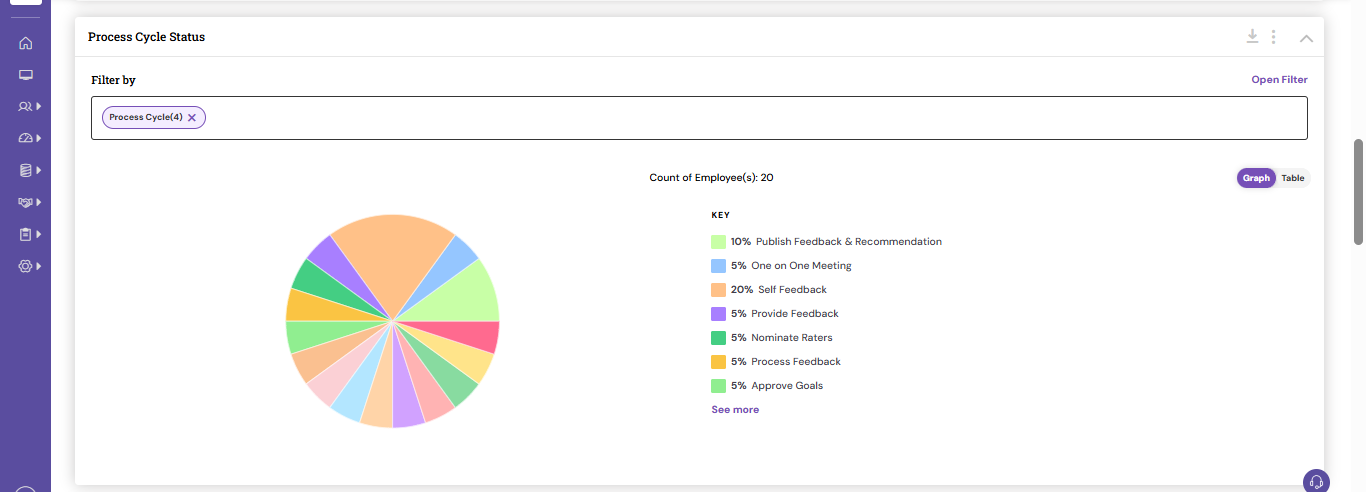
You can click on the respective status and get the list of employees pending under the step.
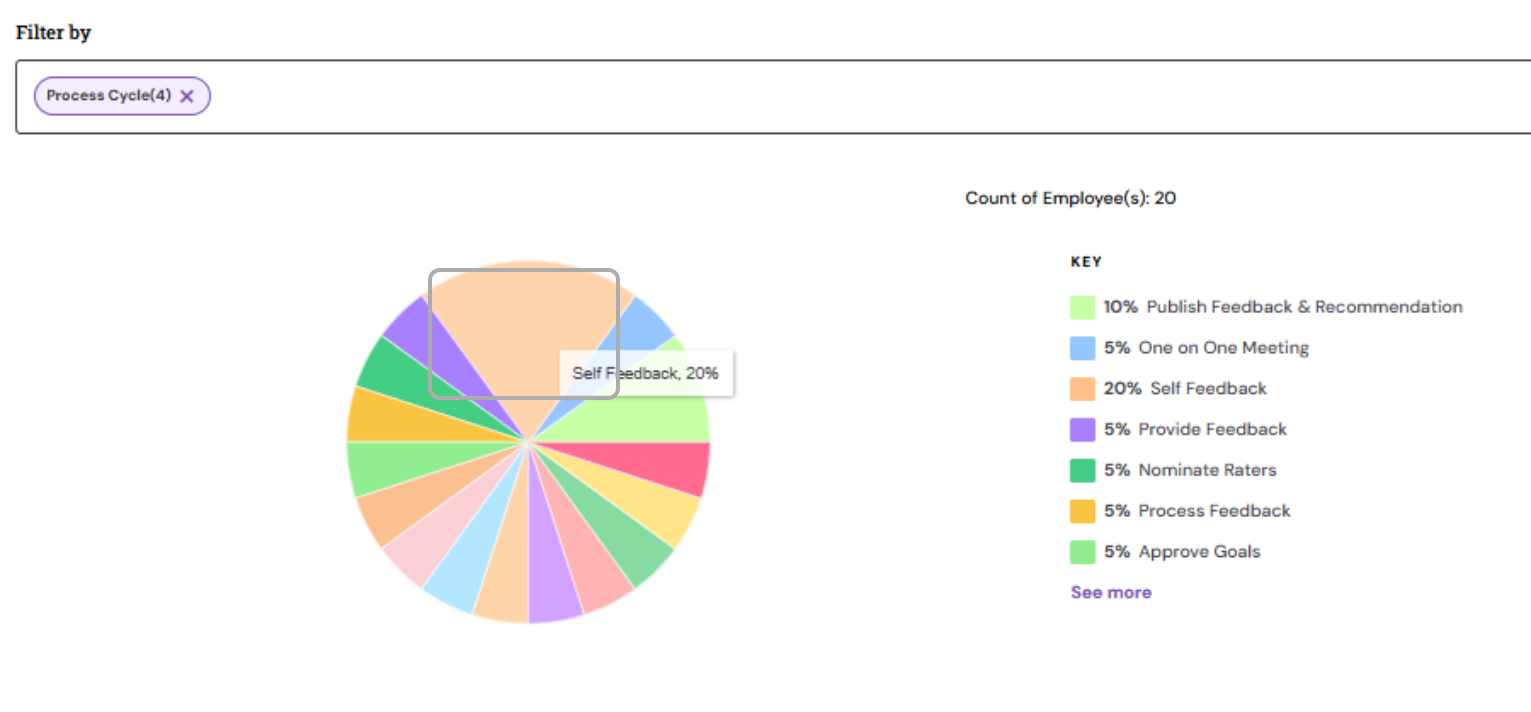
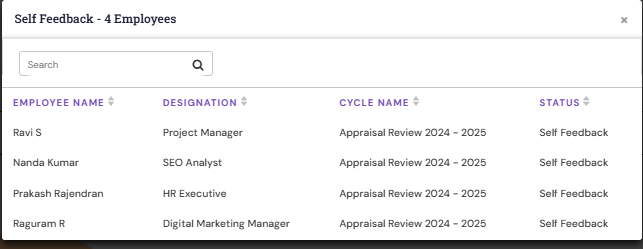
My Team's Performance:
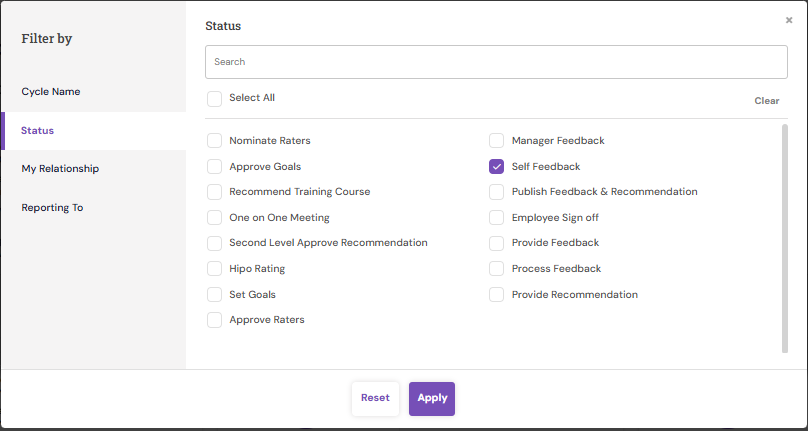
Navigate to Performance > My Team's Performance
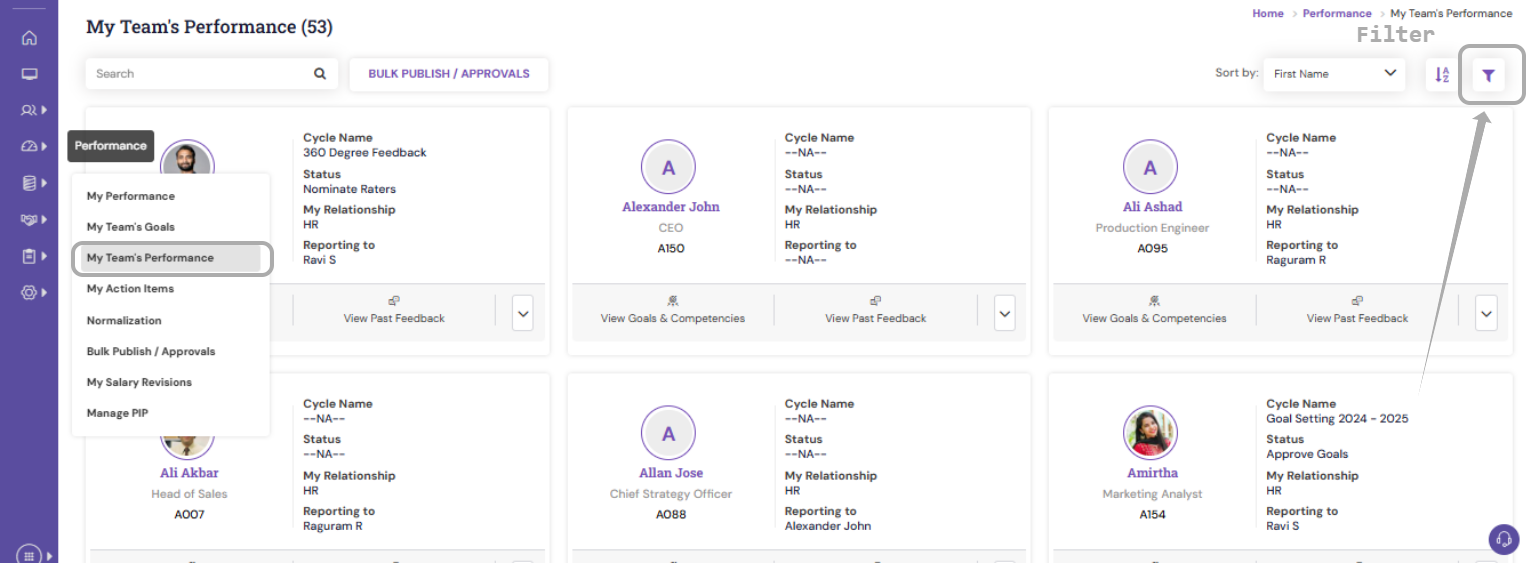
You can filter the required status using the filter option.
OR
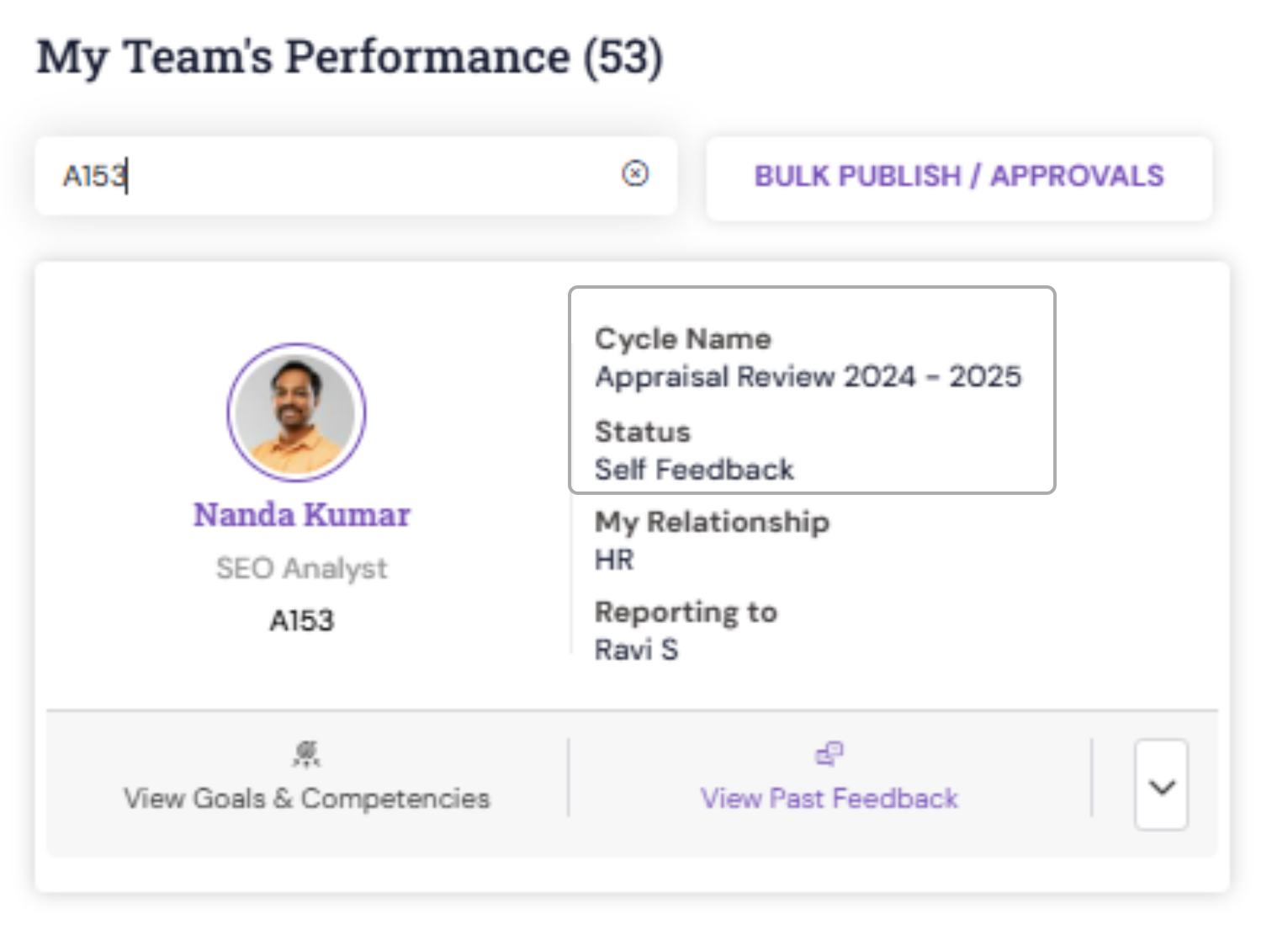
You can search the user and get the status.
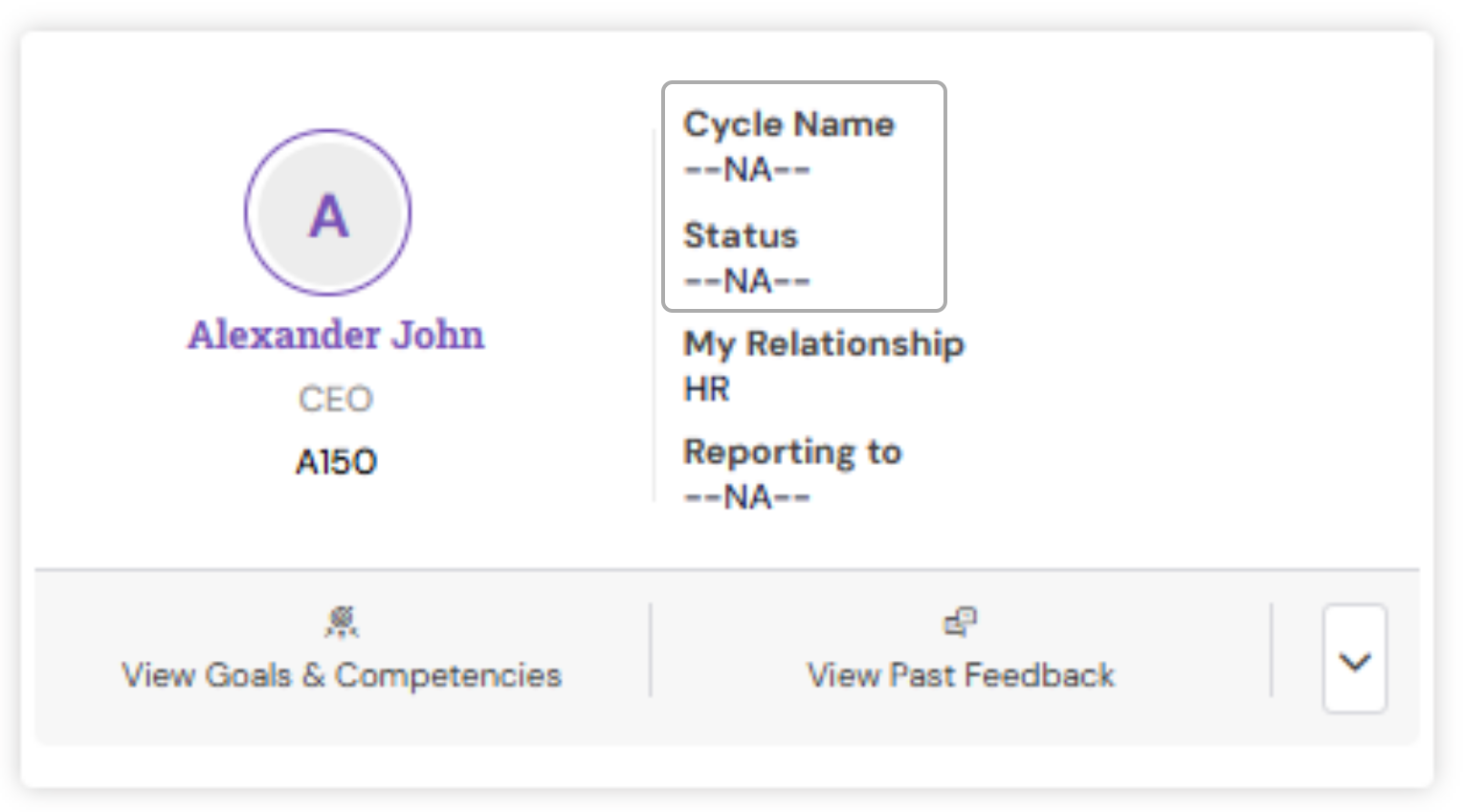
If the employee hasn't been covered in any of the ongoing cycle then the status will be shown as '--NA--'
Employee Feedback Status Report:
To get the status of all the employees under an ongoing or closed cycle, HR can fetch the employee feedback status report.
PS: Synergita implementation for your Organization may vary from how the features are described here. The screenshots given here may also be different from what you see in your system. Please talk to the concerned person in the Organization for any specific queries.