
OKR Progress in Synergita OKR can be updated from Microsoft Teams. This integration allows users to update their progresscheck-in directly without logging into Synergita OKR, thereby saving time.
First, install Synergita OKR in MS Teams. Learn More
Enable Microsoft Teams
- Log in to Synergita OKR.
- Navigate to OKR Admin >> Integrations.
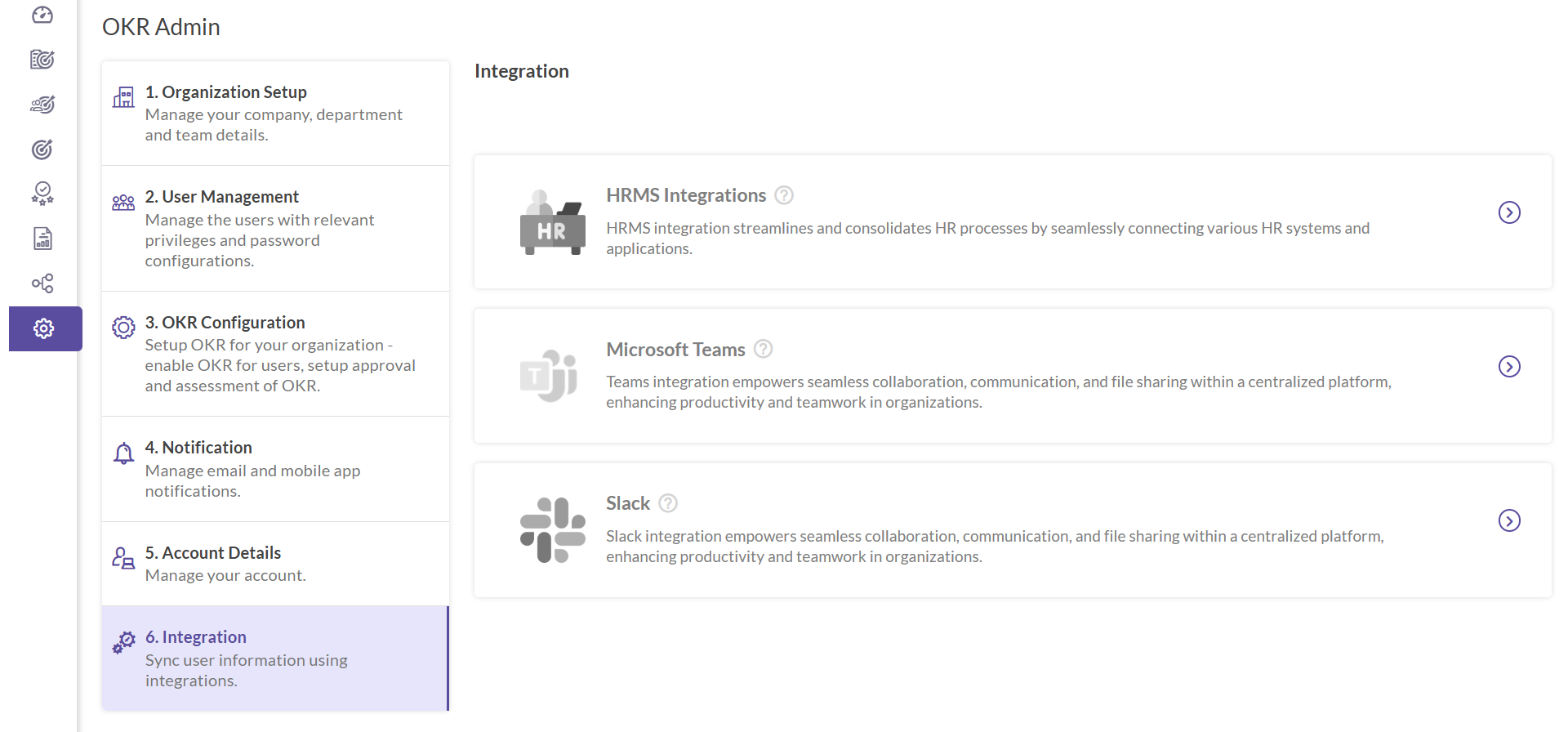
- Click on the Microsoft Teams Integration to initiate the integration process.

- Switch on the toggle: Enable Notifications to MS Teams.
Progress Update
- Open Synergita OKR from the list of Apps.
- To update the progress of an OKR, type Update OKR.

- Select between the OKR type namely Company, Team, and Individual.
- This will list the available OKRs under the category.
- When the OKR is selected, it will open a card to update the progress.
- Let us look at an example of updating a company OKR.
- When the company card is clicked, it displays the list of company OKRs accessible to the user.

- When the user clicks on the name of the company OKR, it displays the list of key results belonging to the OKR.

- Selecting the Key Result displays the progress update window, where the progress percentage can be typed.

- Once the progress is entered and updated, it gets updated in Synergita OKR. The summary of the updated key result is displayed.

Note: This feature is only for the users of OKR Growth.