
The Continuous Feedback Wall in the Performance Management System (PMS) provides a centralized view of the feedback shared across the organization based on the visibility configuration, including appreciations, recognitions, and awards. To help employees and managers quickly locate relevant feedback, the system offers flexible filtering options. These filters enable users to narrow down the displayed feedback based on criteria such as Organization Unit, Categories, Awards and timelines.
To view based on the available filters
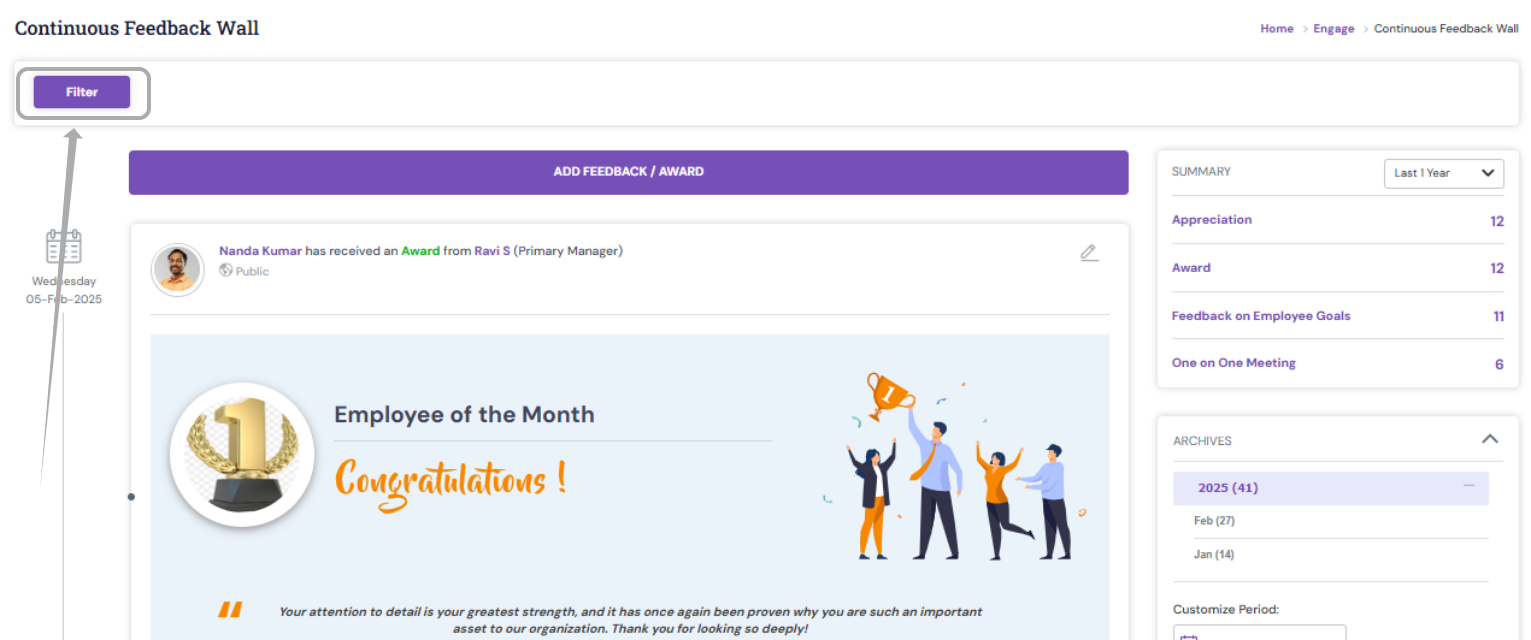
1. Navigate to Engagement > Continuous Feedback
2. Using the filter option, you may select the required organization unit, category or Awards
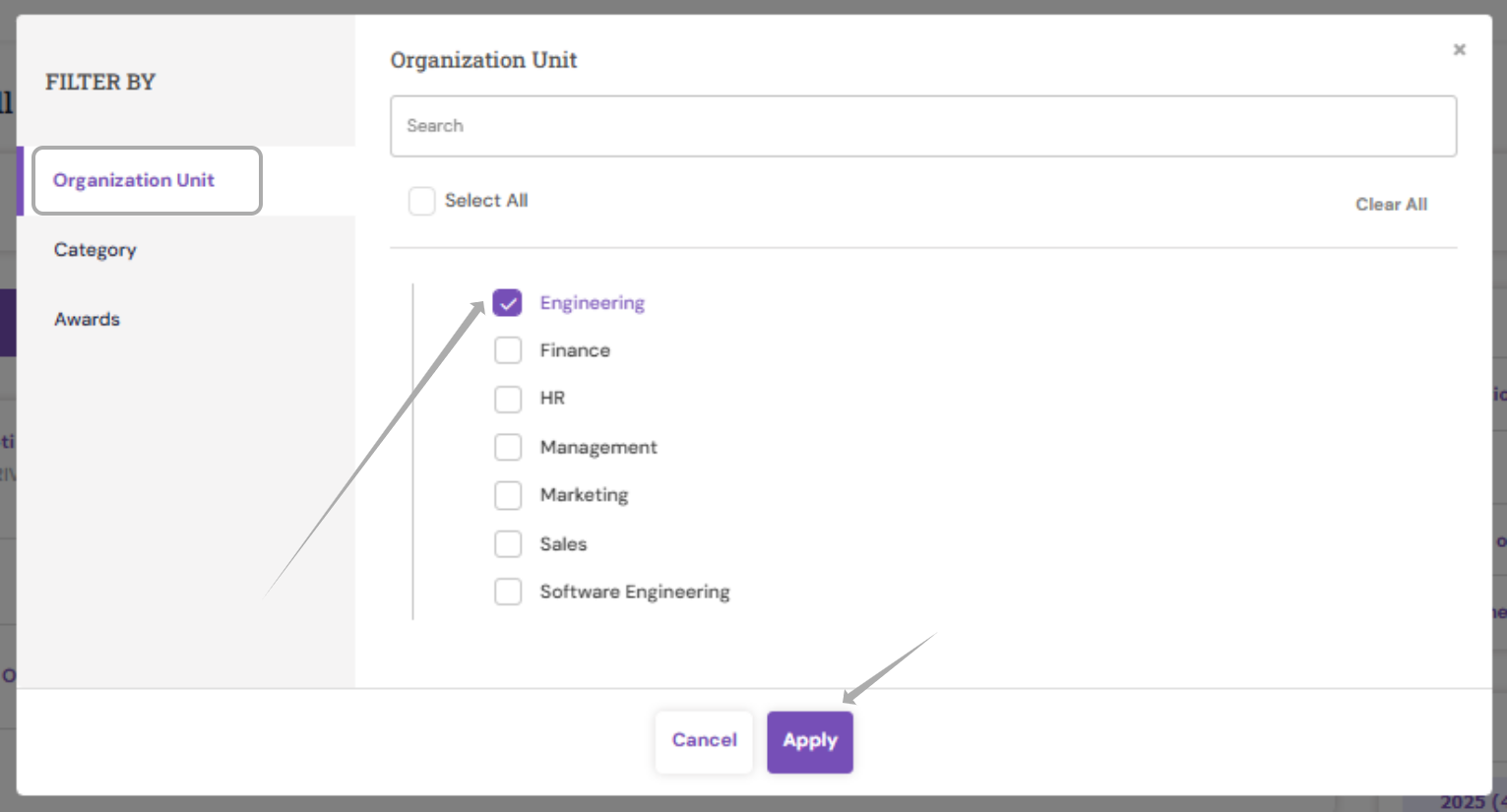
Organization Unit
Click on ' Organization Unit ' and select the required department or division click on ' Apply ' to view the respective feedback details.
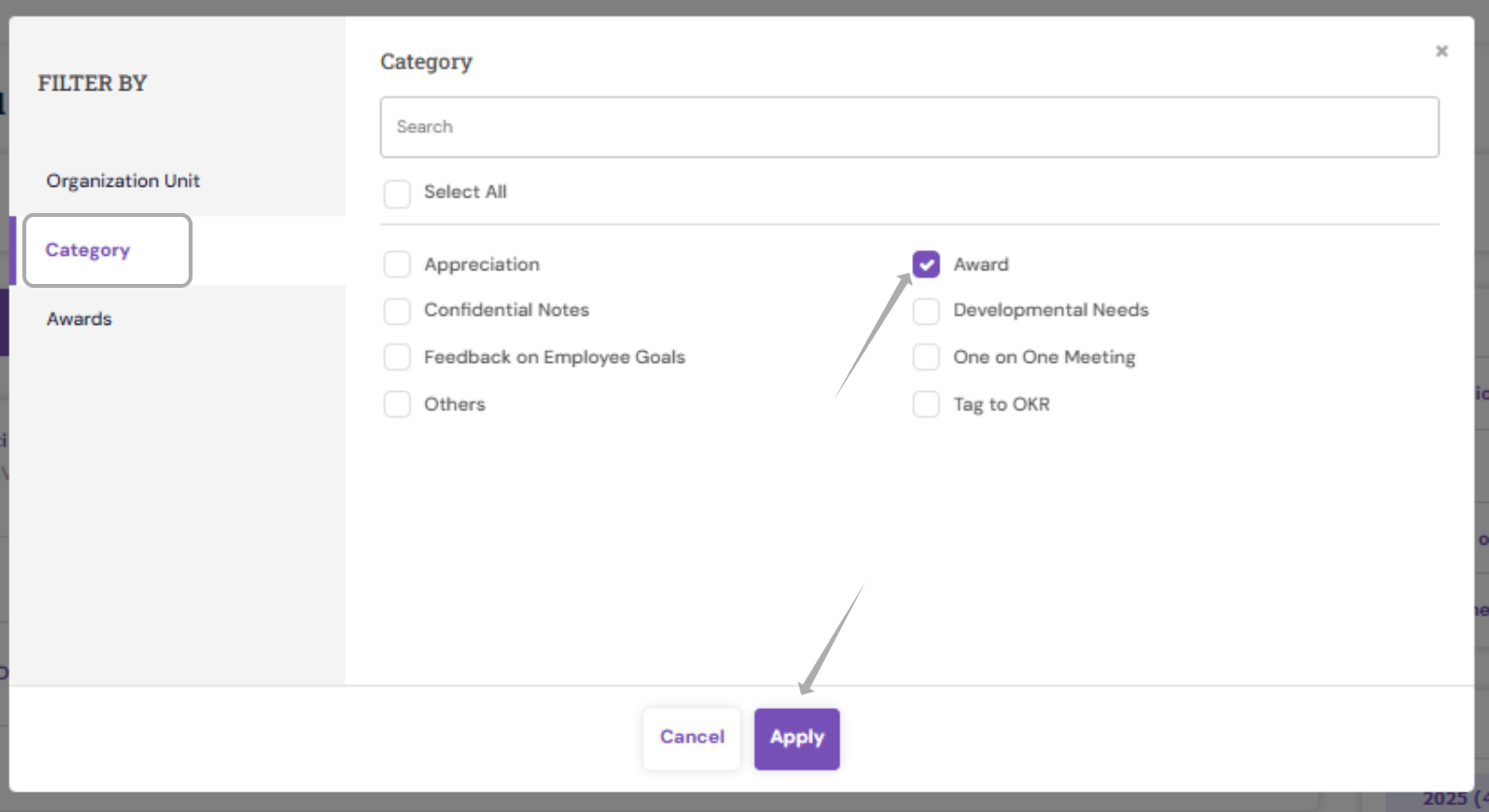
Category
Click on ' Category ' and select the required type/category of Continuous feedback, and click on ' Apply '
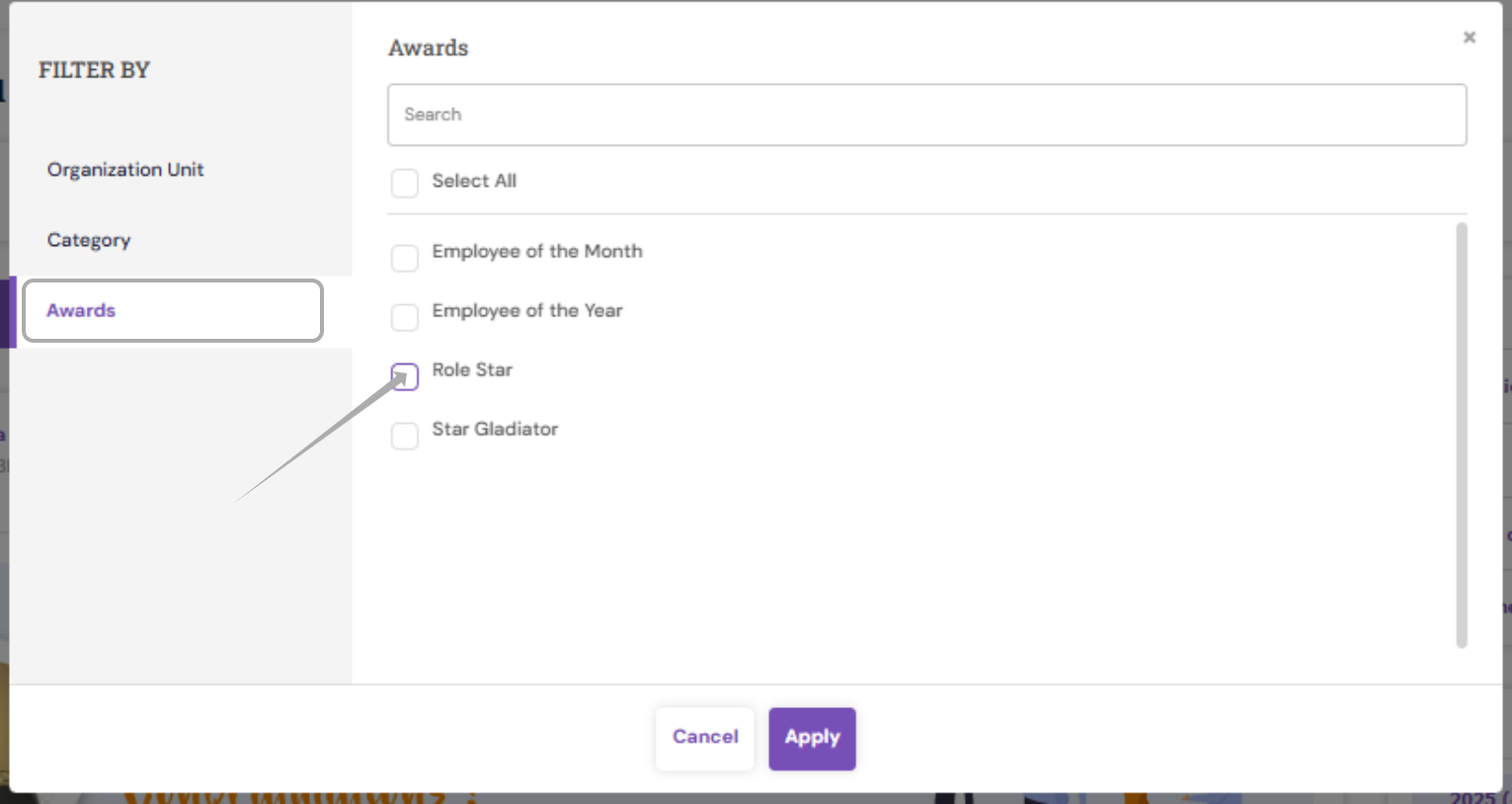
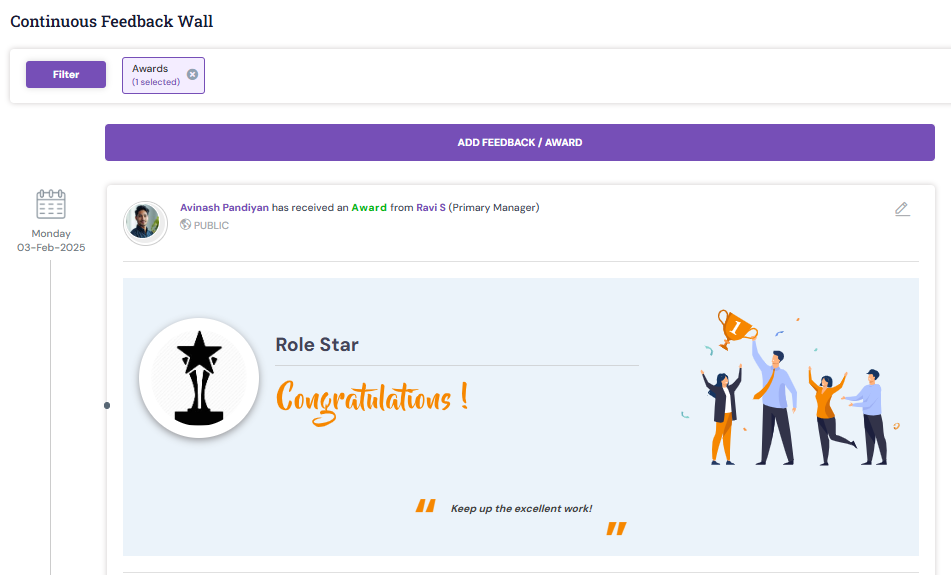
Awards
Click on ' Awards ' and select the particular award name, and click on ' Apply '
The chosen filter-related feedback will be listed under the Continuous Feedback Wall for you to view.
To view the posted continuous feedback based on the provided dates
1. Navigate to Engagement > Continuous Feedback
2. Towards the right side, click on 'Archives' to view the continuous feedback comments based on the provided dates.
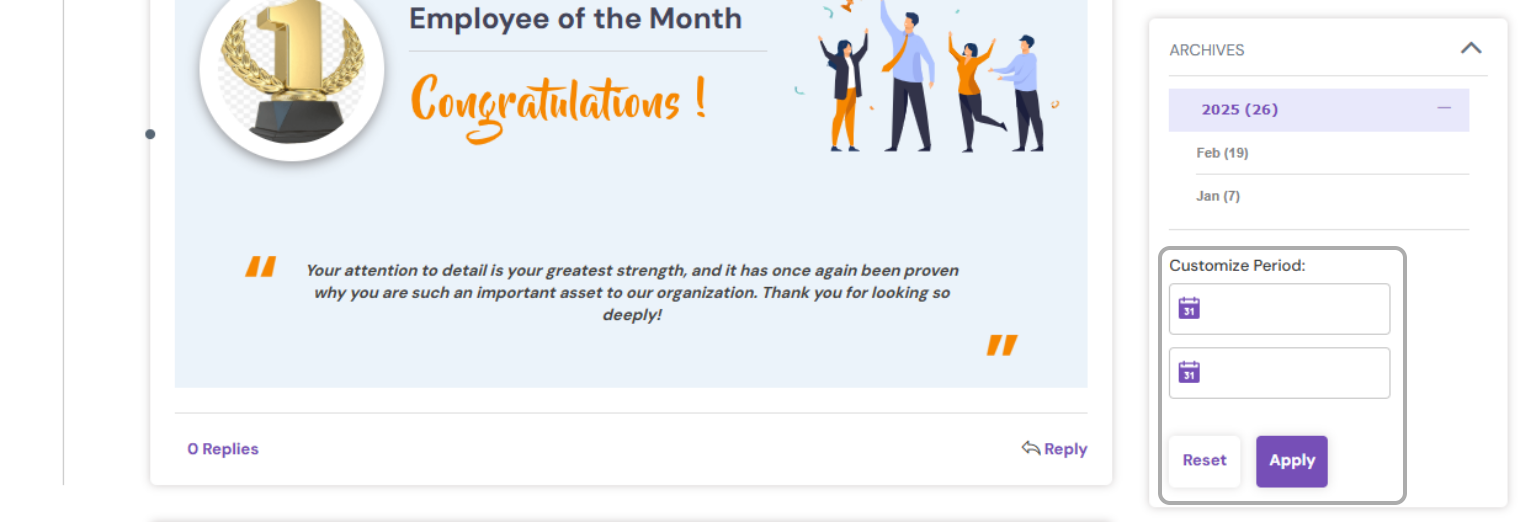
3. Enter the customize period date and click on 'Apply'.
If you are looking to get a bulk details of any specific categories as a report, then you may fetch the Continuous Feedback Summary Report.
PS: Synergita implementation for your Organization may vary from how the features are described here. The screenshots given here may also be different from what you see in your system. Please talk to the concerned person in the Organization for any specific queries.