
In cases where an uploaded letter contains incorrect information or needs to be revised, Synergita allows you to manage letter updates through a simple delete-and-reupload process. The method you follow depends on whether the same Effective From date must be retained or a new date can be used.
Synergita ensures data accuracy by allowing you to:
- Delete and reupload a letter if the same Effective From date must remain unchanged, or
- Reupload a new version of the letter with a different Effective From date when applicable.
Scenario 1: Republishing a Letter With the Same Effective From Date
If the letter must retain the original Effective From date, the previously uploaded document must be deleted first.
To delete the published letter:
Navigate to Admin > Appraisal Letter > Salary Revision Letter
From the Status filter, select the Published status.
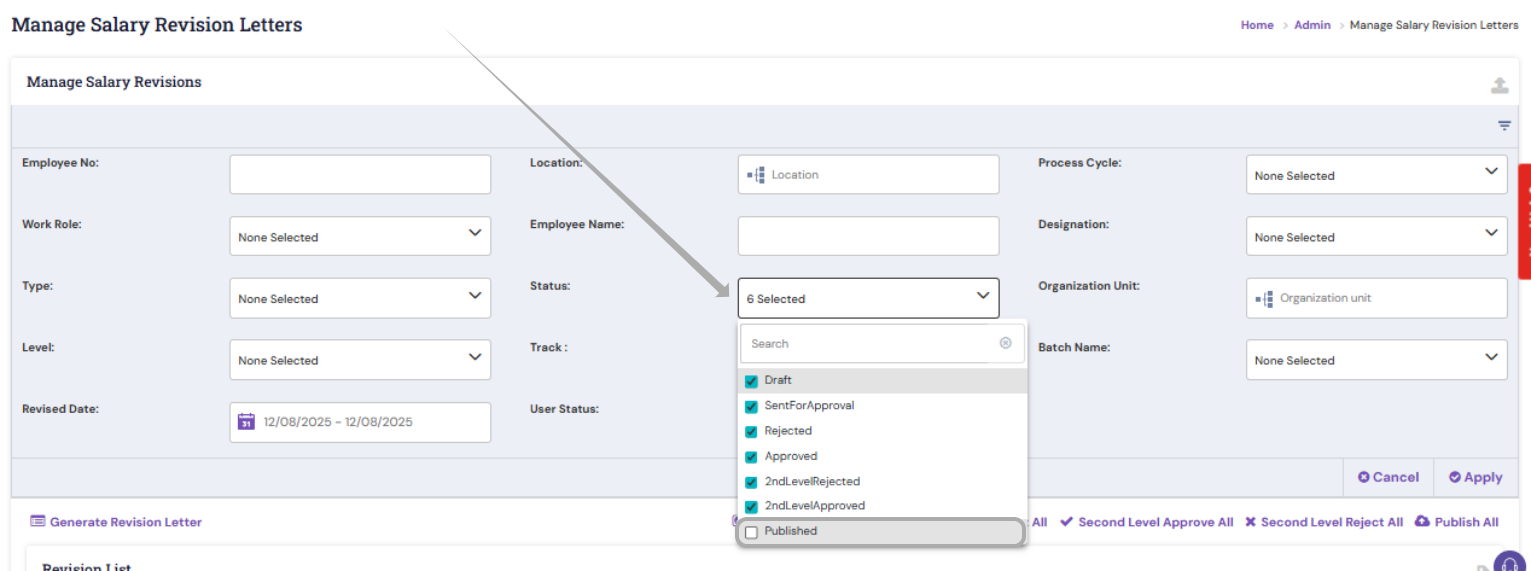
Delete the letter pertaining to the employee below and upload the new one.
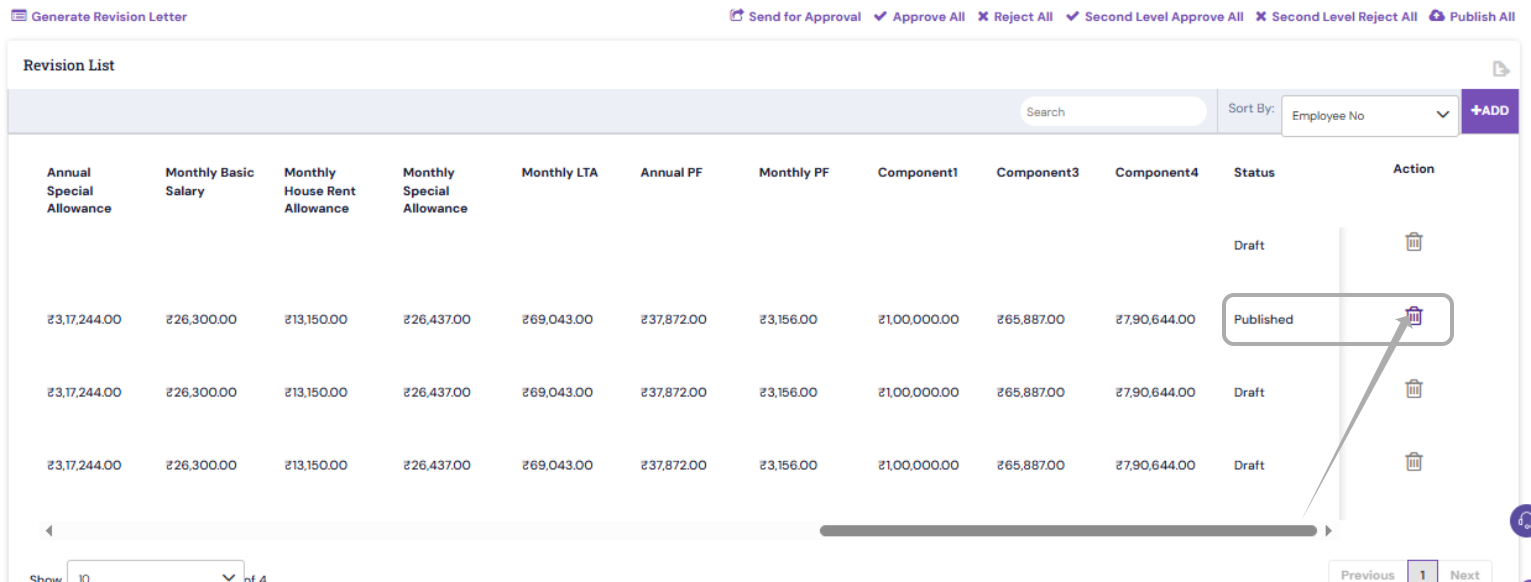
This is because the system does not allow multiple letters with the same effective date for the same employee.
Scenario 2: Republishing Using a New Effective From Date
If keeping the same Effective From date is not required, you can upload the corrected letter directly with a new date using the usual letter upload method.
PS: Synergita implementation for your Organization may vary from how the features are described here. The screenshots given here may also be different from what you see in your system. Please talk to the concerned person in the Organization for any specific queries.