
Synergita provides multiple login options to meet different organizational security and authentication needs. These options can be configured through the Integrations section or the Security settings, depending on the login method. This article outlines all available login types and their use cases.
Types of Login Options in Synergita
1. Synergita Application Login (Standard Login) - This is the default authentication method provided by Synergita.
Key Features:
- Users log in using a username/email and password created within Synergita.
- Password policies can be customized under Security settings.
- Users can reset passwords using the Forgot Password option.
Organizations not using external identity providers or requiring a simple login method.
2. Single Sign-On (SSO) Login
Synergita supports SSO integration with various Identity Providers (IdPs).
Key Features:
- Users authenticate using their organization’s SSO credentials.
- Password resets and MFA are managed in the Identity Provider (not in Synergita).
- Enhances security with centralized access management.
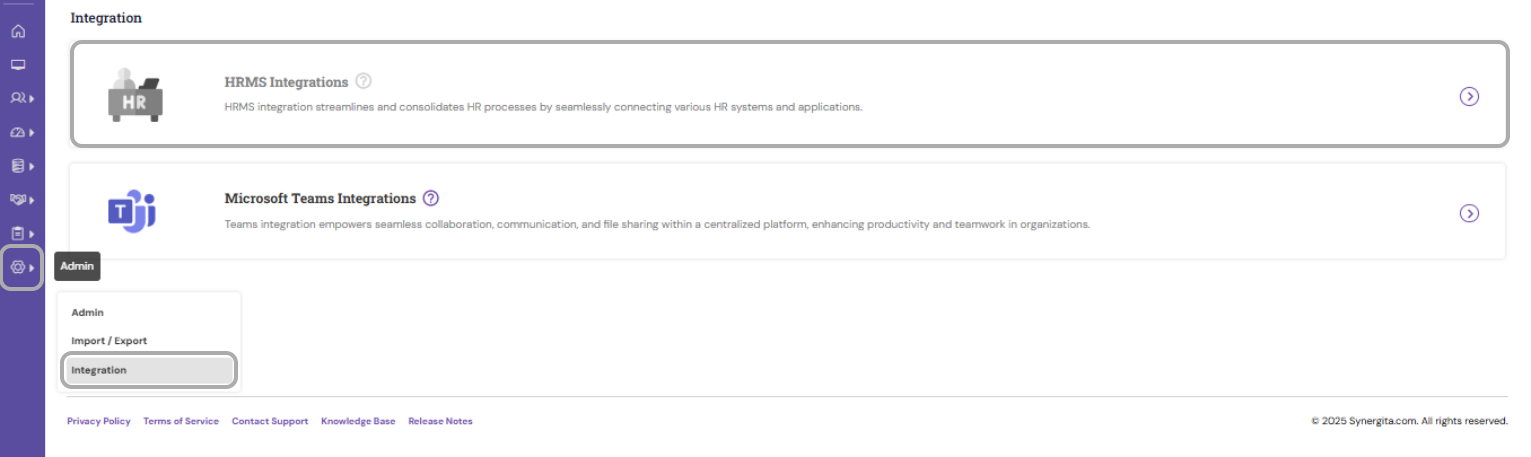
- Configurable via Admin → Integrations
Navigate Admin->Integration
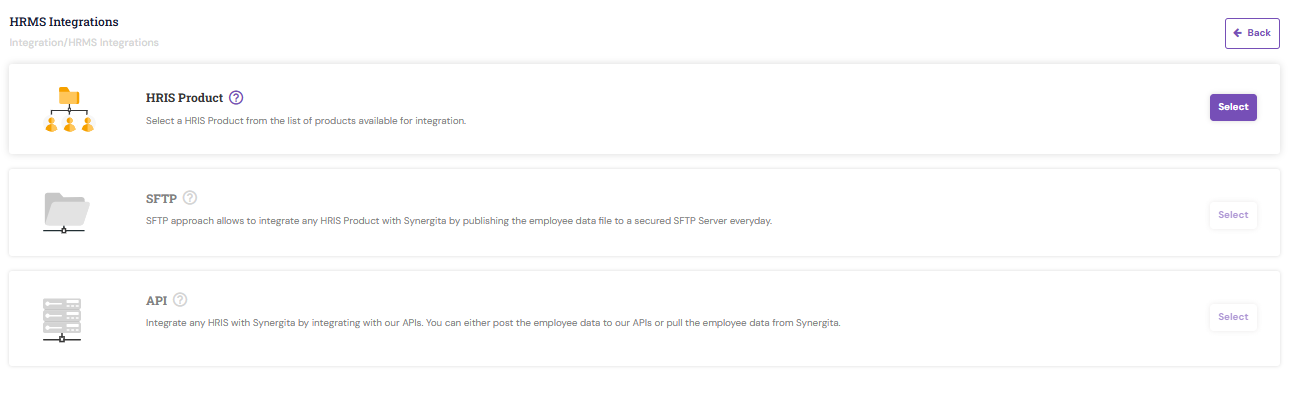
API-Based Authentication (For External Systems)
Used for system-to-system connections where applications log in using secure API tokens.
Key Features:
No password-based human login.
Used for HRMS sync, third-party integrations, or automated data import/export.
Configure via Integrations → API
Synergita offers flexible and secure login options designed to support a wide range of organizational needs. Whether your teams prefer traditional password-based access or seamless authentication through Single Sign-On, the platform ensures a secure and convenient login experience for all users. By choosing the right login method, organizations can enhance security, improve user adoption, and streamline overall access management.
For assistance in configuring or modifying any login option, please contact the Synergita Support Team.
PS: Synergita implementation for your Organization may vary from how the features are described here. The screenshots given here may also be different from what you see in your system. Please talk to the concerned person in the Organization for any specific queries.