
After a successful login, users are directed to the Landing Page (Home Page).
To access the Dashboard
To ensure a clean and focused user experience, the system does not display a “Login Successful” message. This approach minimizes distractions and keeps users’ attention on essential notifications such as errors or alerts.
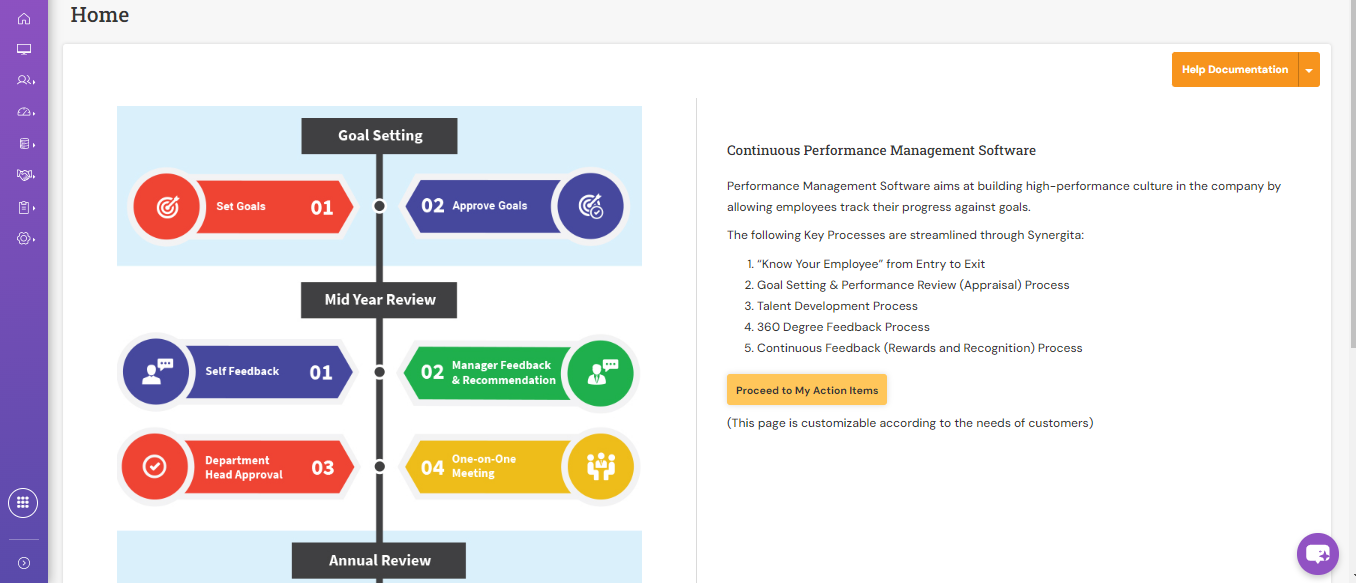
About the Landing Page:
- The Home Page serves as the landing page for all users after login. It acts as the central hub from which users can navigate to various system features.
This page is configurable to align with your organization’s branding and appraisal process.
Configurable Elements:
Administrators can customize the following elements on the Landing Page:
Header Image – The visual element representing the organization or appraisal process.
Contextual Content – The text or description displayed on the landing page that explains or reflects the appraisal process being followed within your organization.
Managing Landing Page Configuration:
- You can manage these settings through the Configuring Landing Page section within the system’s administration area.
- This allows HR or system administrators to ensure the landing page reflects your organization’s unique appraisal cycle, tone, and visual identity.
PS: Synergita implementation for your Organization may vary from how the features are described here. The screenshots given here may also be different from what you see in your system. Please talk to the concerned person in the Organization for any specific queries