
Adding clear and measurable goals is essential for aligning employees with organizational priorities and enhancing performance outcomes. Whether you are an employee defining your personal goals or an HR/Manager assigning goals to team members, the system provides a streamlined process to create, track, and manage goals efficiently.
This article will guide you through the steps to add a new goal in the system, ensuring that goals are structured, aligned, and ready for evaluation during performance cycles.
To Add a New Goal:
1. Navigate to Performance > My Action Items > Set Goals
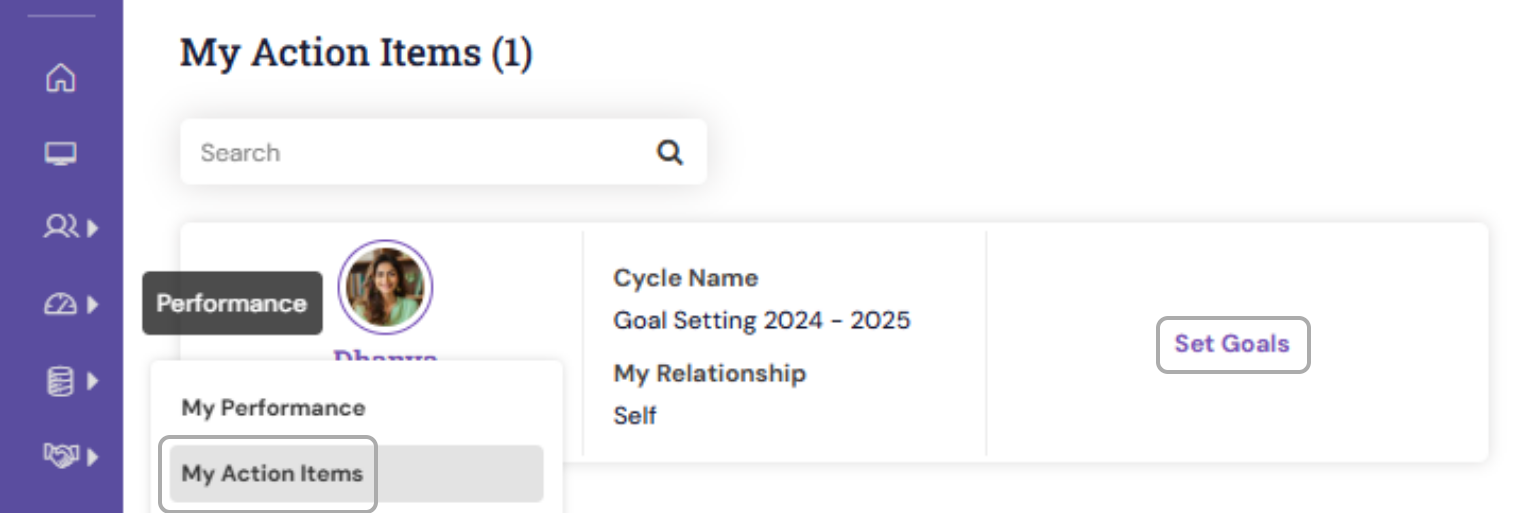
2. Click on the “Add Goal" button to open the goal creation form.

3. Enter the Goal Details
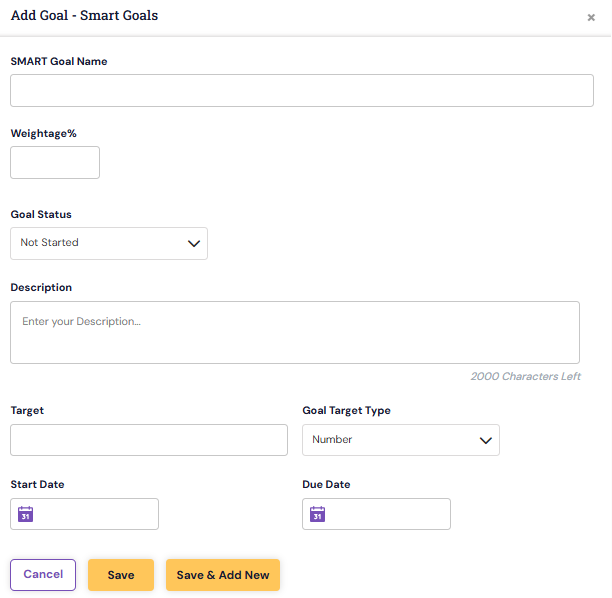
Fill in the key information required for the new goal:
Goal Title: A clear and concise statement of what you aim to achieve.
Goal Description: Additional details to explain the purpose, scope, and expectations.
Weightage: Assign appropriate weight to determine the goal’s impact on overall performance.
4. After entering all the details, click Save or Submit.
- If you wanted to add a new goal, then you may click on the Save & Add New
- If the added goal needs to be saved for now, you can click on "Save" and proceed adding goals later.
Adding a new goal is a simple yet impactful step in managing performance effectively. By entering clear information and aligning goals correctly, you help create transparency, accountability, and direction for both individual and organizational success.
If you need further assistance or face any issues while adding a goal, please contact your HR administrator or our support team.
PS: Synergita implementation for your Organization may vary from how the features are described here. The screenshots given here may also be different from what you see in your system. Please talk to the concerned person in the Organization for any specific queries.