
Managing goals effectively requires flexibility during the initial stages of the goal-setting process. The system allows employees to make adjustments—such as refining, updating, or removing goals—while they are still working within the Set Goals step. Once goals are submitted for managerial review, any further changes follow a controlled workflow to maintain accuracy and accountability. In such cases, the manager may return the goals for updates, or if the cycle has progressed further, the HR team can revert the process to enable the employee to make necessary corrections.
This structured approach ensures that goal management remains clear, consistent, and aligned with the organization’s performance framework.
To Delete an Added Goal:
1. Navigate to the Performance > My Action Items > Set Goals.
2. Locate the Goal You Want to Delete/Identify the goal that you wish to remove > “Delete”.

A confirmation prompt will appear to prevent accidental deletion.
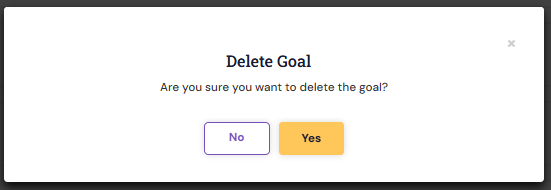
5. Confirm the Deletion by clicking on Yes.
The goal will be removed from your list immediately.
Important Notes:
Goals cannot be deleted if they are already in review, approved, or part of an active performance cycle.
In such cases, you may need to contact the HR Administrator or our Support team for guidance.
PS: Synergita implementation for your Organization may vary from how the features are described here. The screenshots given here may also be different from what you see in your system. Please talk to the concerned person in the Organization for any specific queries.