
The Goals and Competency Library serves as the central repository where organizations maintain standardised goals, competencies, and values. Users with the appropriate permissions can access this library to review, configure, or assign items during their goal setting process of the respective financial year.
The Manager/Employee defining the goals can access the library under the navigation given below:
Navigate to Performance > My Action Items > Set Goals > Choose from Library
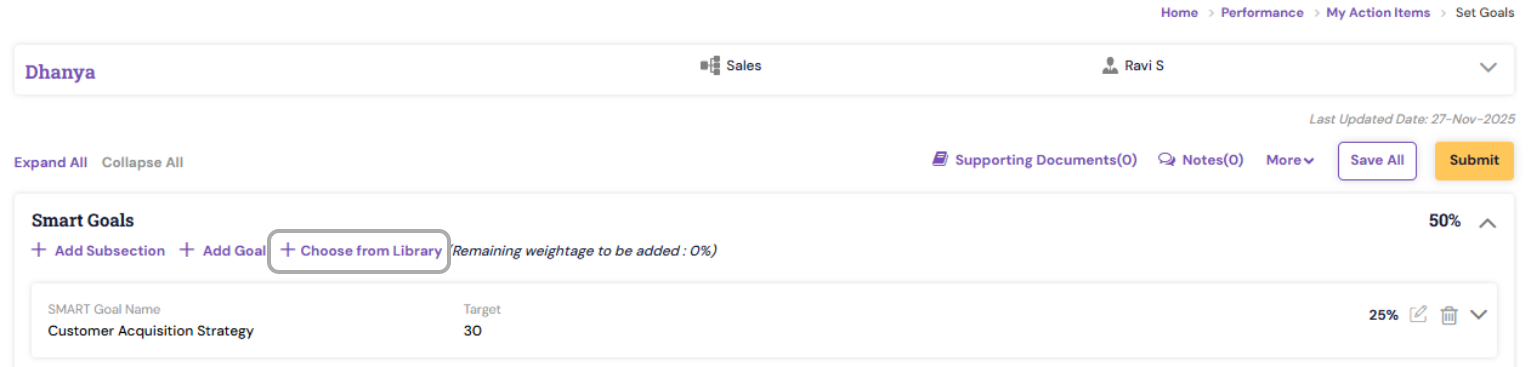
The configured goals in the Library will be displayed for you to choose. You can search or click on the check box of the respective goals and then click on Add to the goal button.
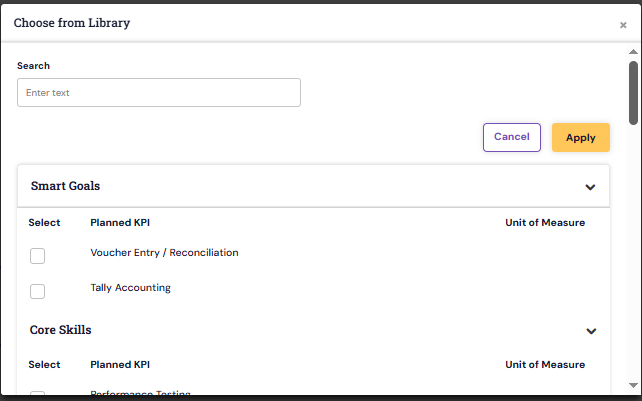
Once the same is added, you will be able to view it under the goals list for editing or updating.
PS: Synergita implementation for your Organization may vary from how the features are described here. The screenshots given here may also be different from what you see in your system. Please talk to the concerned person in the Organization for any specific queries.