How to view the reviewers list?
Modified on: Mon, 22 Dec, 2025 at 12:12 PM
HR can easily view the list of reviewers assigned to an employee as part of an ongoing review process. This helps ensure the correct raters are included and allows HR to monitor the reviewer setup throughout the cycle.
To view the reviewers list, follow the steps below:
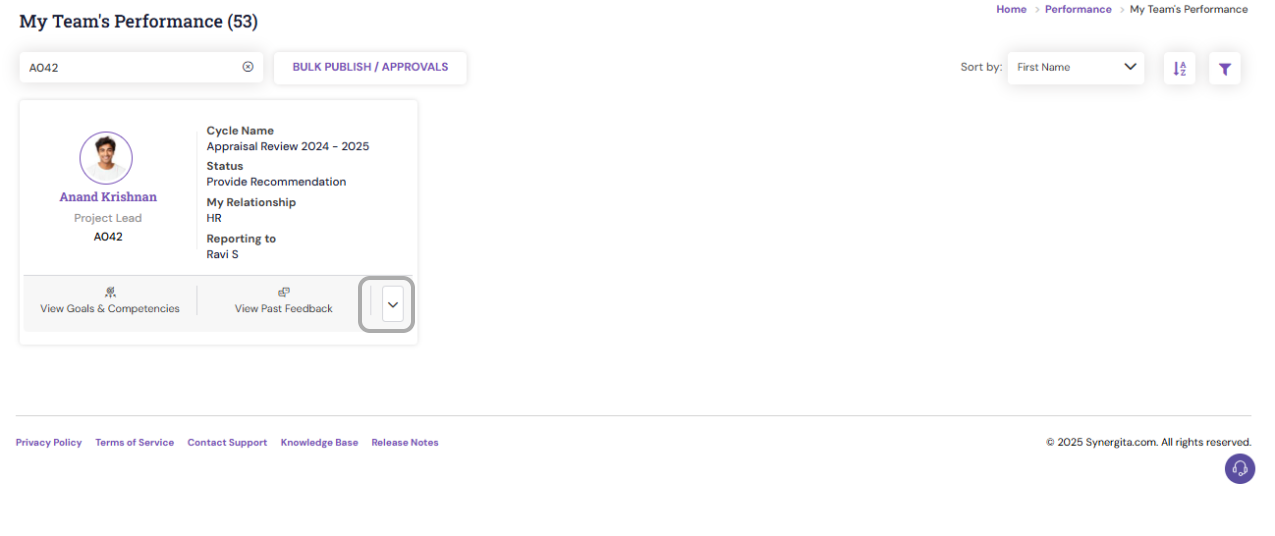
- Navigate to Performance > My Team's Performance and search for the employee.
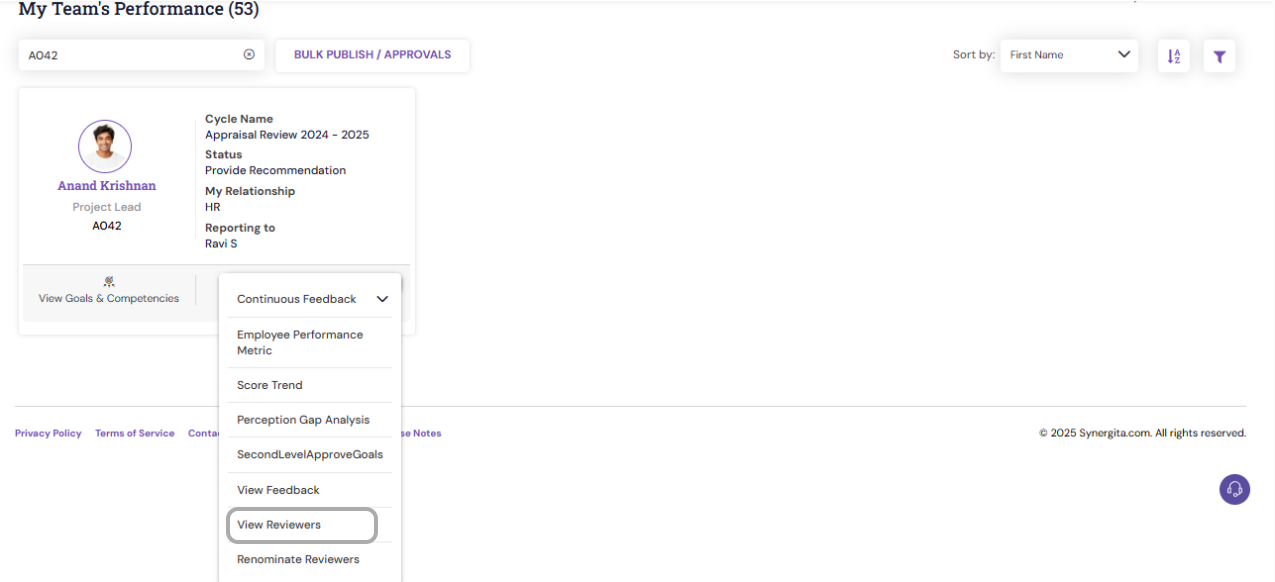
- Click the down arrow beside the employee’s name and select View Reviewers.
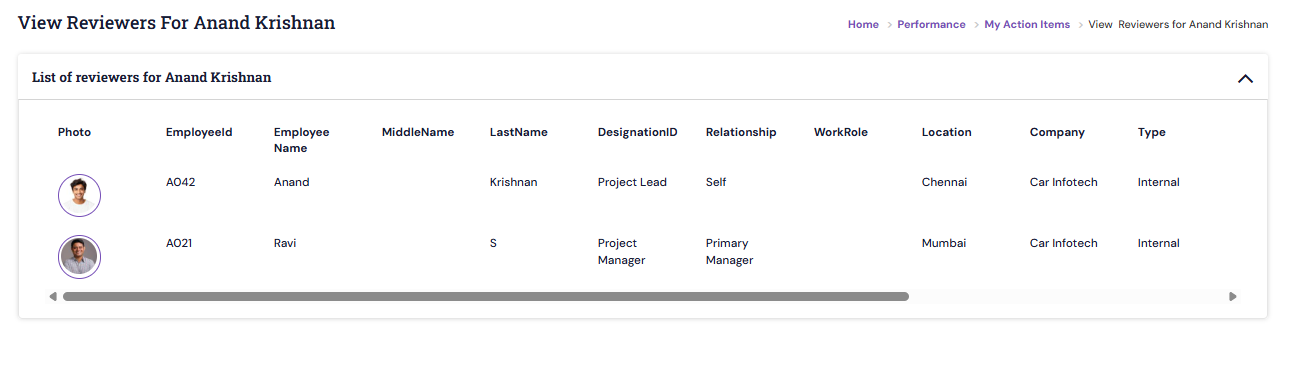
- HR will be able to see all reviewers associated with the employee for the current review process.
PS: Synergita implementation for your Organization may vary from how the features are described here. The screenshots given here may also be different from what you see in your system. Please talk to the concerned person in the Organization for any specific queries.
Did you find it helpful?
Yes
No
Can you please tell us how we can improve this article?
