
During the normalisation process, HR teams may need to adjust multiple employees’ recommended scores or grades based on calibration outcomes. The system provides controlled options for updating recommendation details individually or bulk updates.
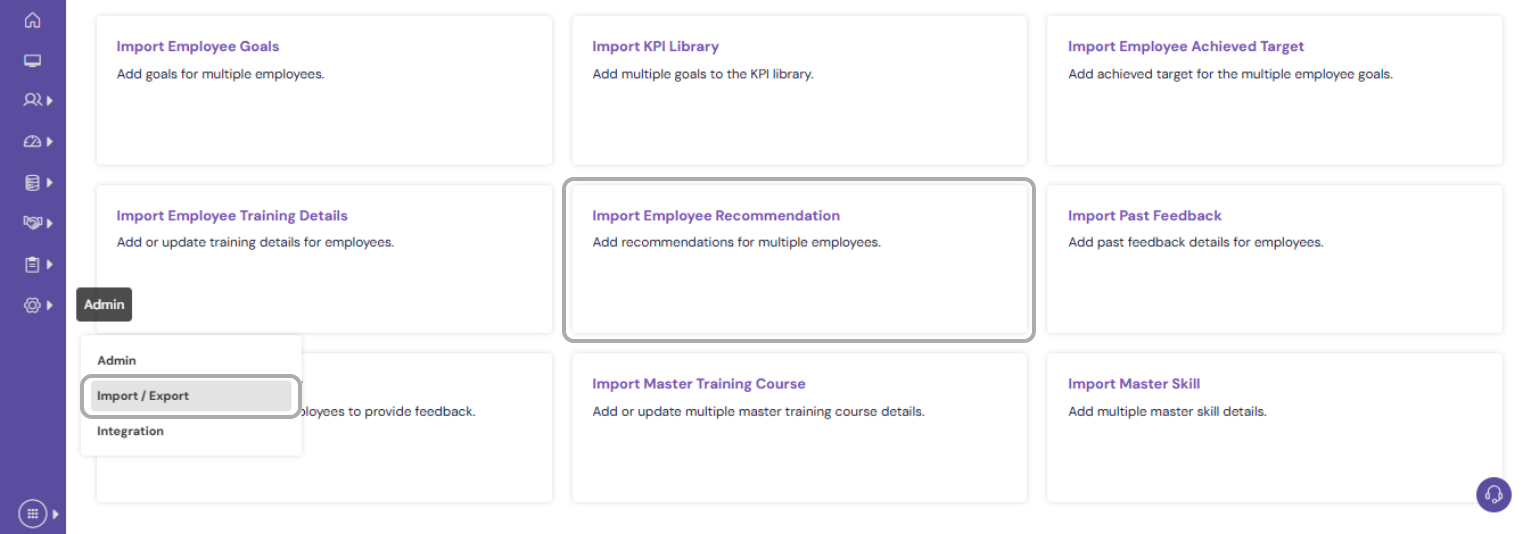
Navigate to Admin>> Import/Export, click Import Employee Recommendation
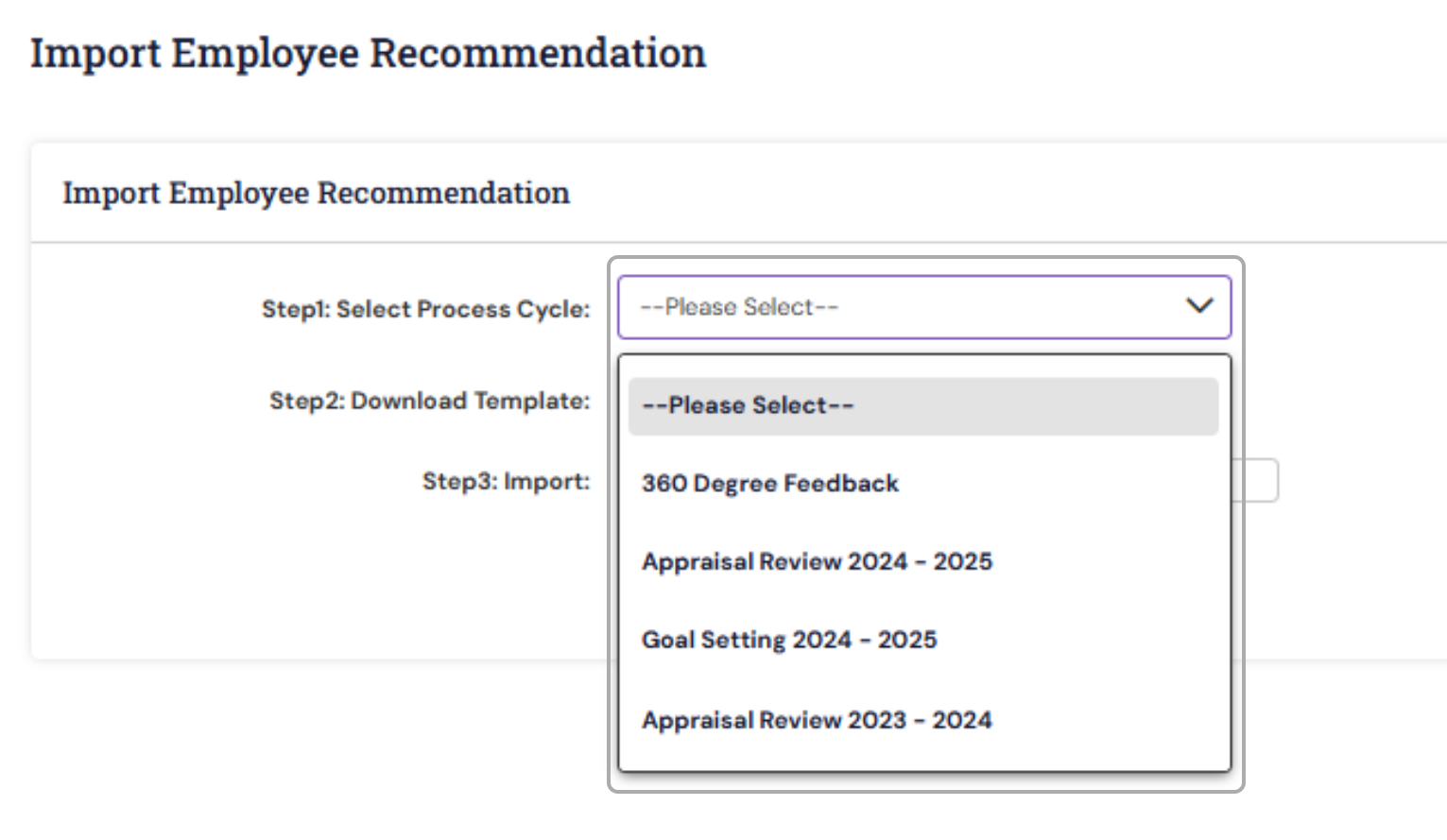
Select the Process cycle for the rating change from Step 1.
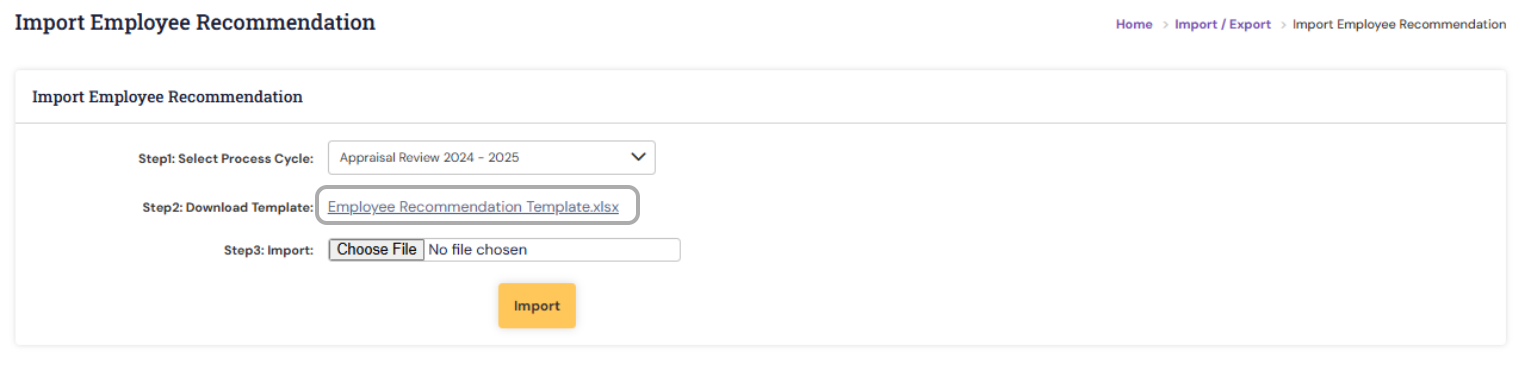
Download the template from Step 2.
You can view the employee's final rating details in the downloaded template.
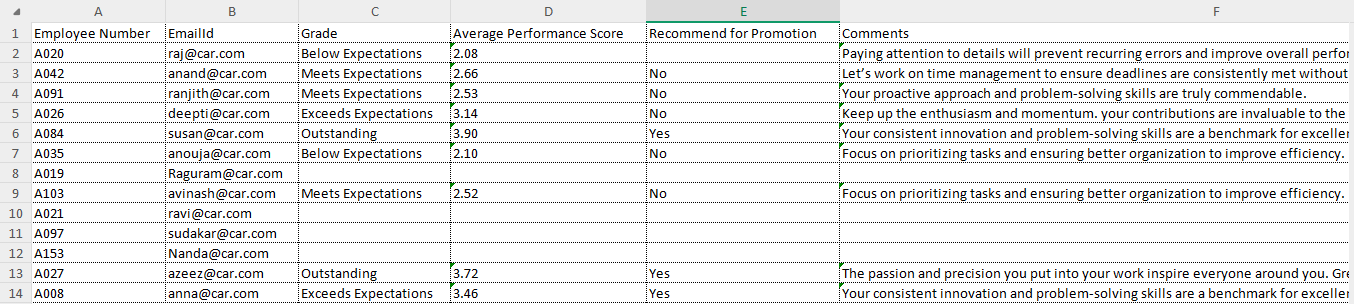
Note: Make the necessary updates in the sheet and upload it either for all users or only for the selected users by removing the others from the list. |
You may update the ratings if required; however, if there are no changes to certain values, please retain the existing data and do not leave the fields blank.
Once the file is ready, use the "Choose file" and Import to upload the valid updated data.
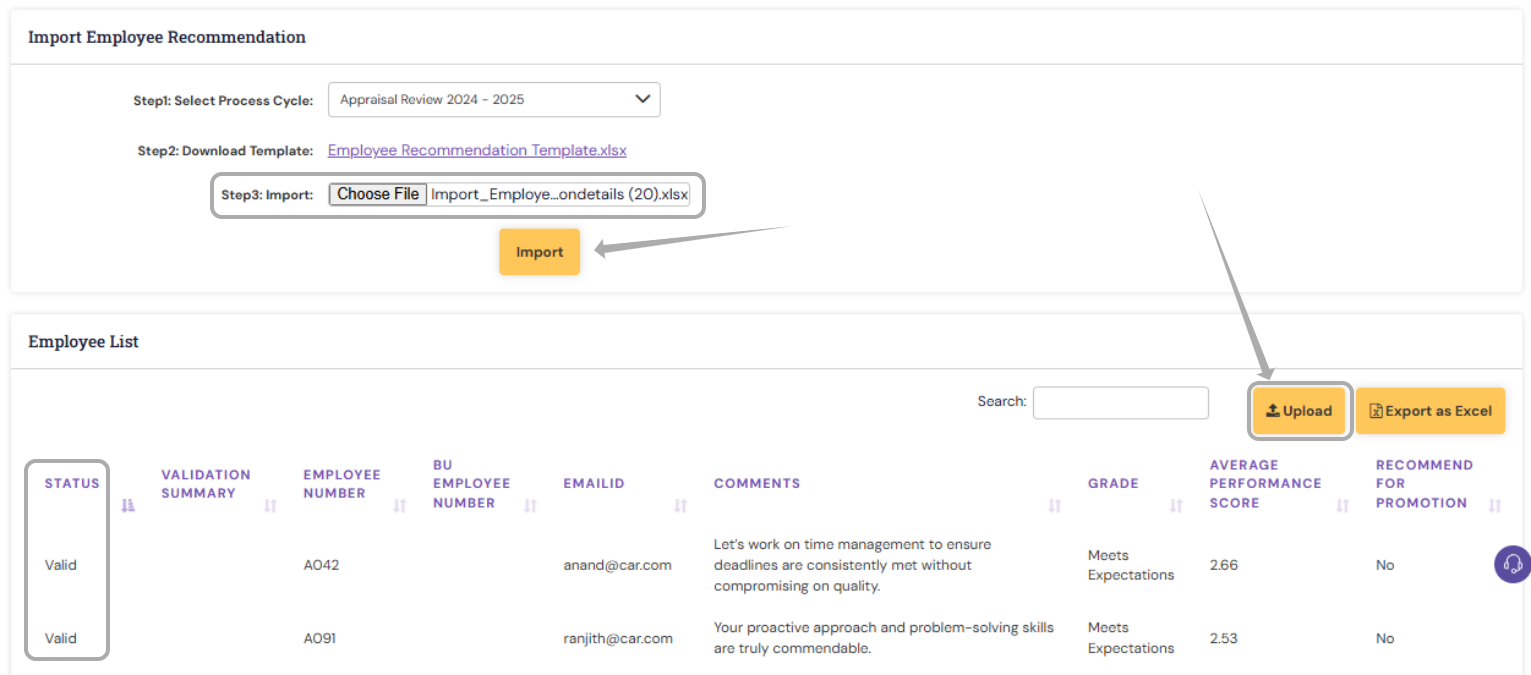
Any invalid data will be listed below upon Import. You may refer to the validation Summary and make the required updates/changes and reupload.
Note: Please ensure the user has completed the recommendation activity before uploading the ratings. |
Once the ratings are uploaded, the corresponding relationship must complete the respective activity as part of the review process.
PS: Synergita implementation for your Organization may vary from how the features are described here. The screenshots given here may also be different from what you see in your system. Please talk to the concerned person in the Organization for any specific queries