
During a 360° review cycle, HR may need to track whether nominated raters have been approved and how far they have progressed in providing their feedback. The system provides two convenient ways to monitor this, through reports and through the employee’s performance view. These options help HR understand which raters are approved, and whether they have started, are in progress, or have completed their ratings.
To check the status of approved raters:
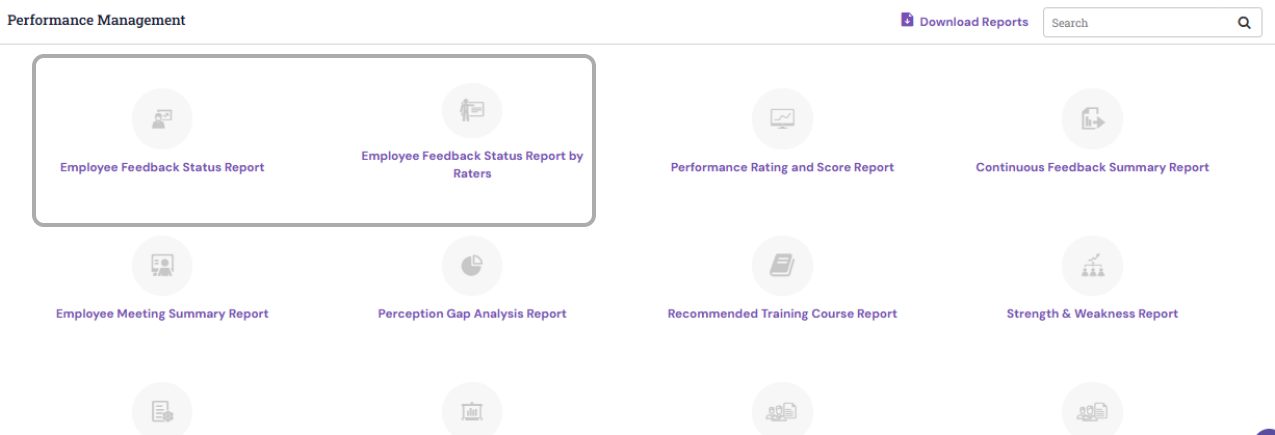
- Use the Employee Feedback Status Report or Employee Feedback Status Report by Rater available to HR under Reports > Reports (Under Performance Management). Select the relevant cycle and click the Export (Mail icon) to download the report. The exported file shows the rater-wise status, including whether each reviewer has started, is in progress, or has completed their rating.
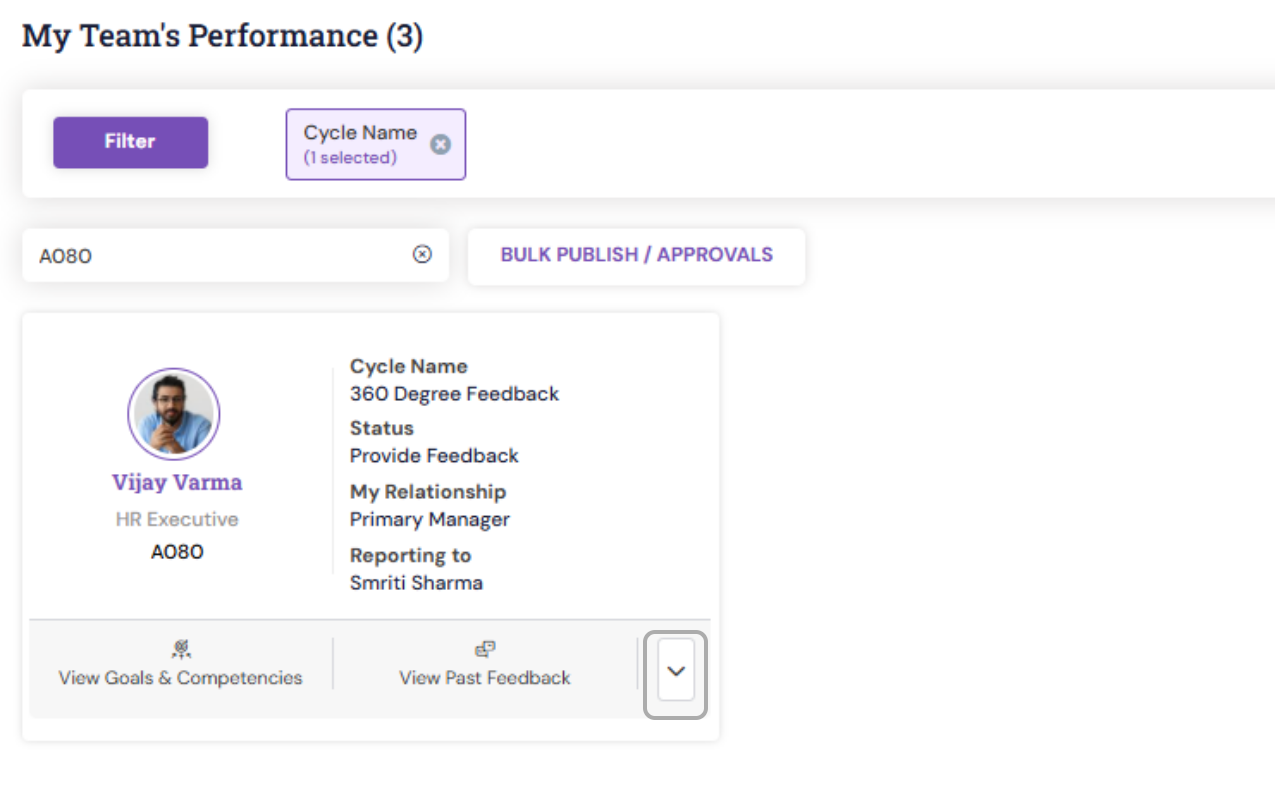
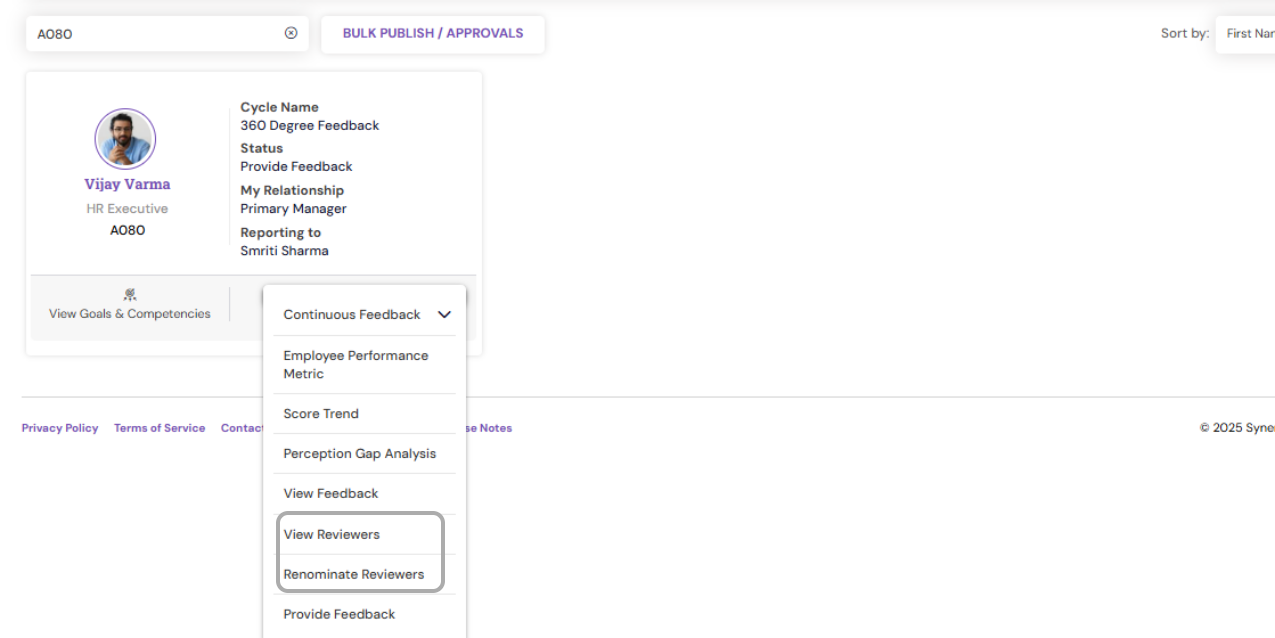
- Alternatively, navigate to Performance > My Team’s Performance, search for the specific employee, and click the down arrow to view the Renominate Reviewer or View reviewers section. This screen displays the list of nominated raters and their current status within the process.
PS: Synergita implementation for your Organization may vary from how the features are described here. The screenshots given here may also be different from what you see in your system. Please talk to the concerned person in the Organization for any specific queries.