
After the reviewer list has been approved, HR may still need to add or update raters in special cases (such as role changes, missed nominations, or additional reviewers required for a complete evaluation). The system allows HR to modify the reviewer list even after approval, ensuring the right individuals are included in the 360° review process.
To add a new rater after approval, follow the steps below:
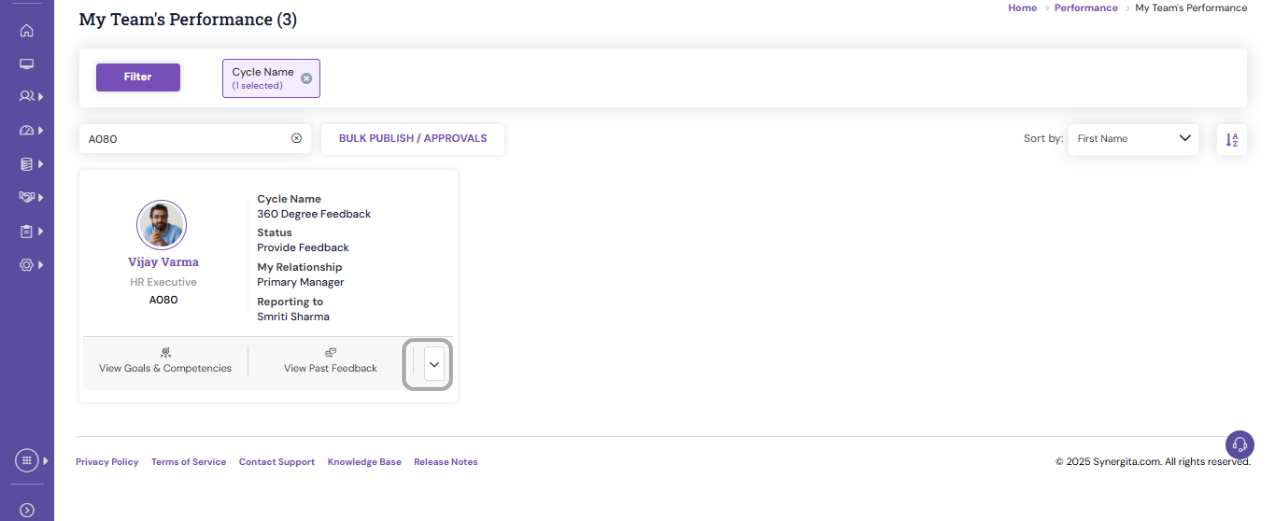
- Navigate to Performance > My Team's Performance and search for the employee.
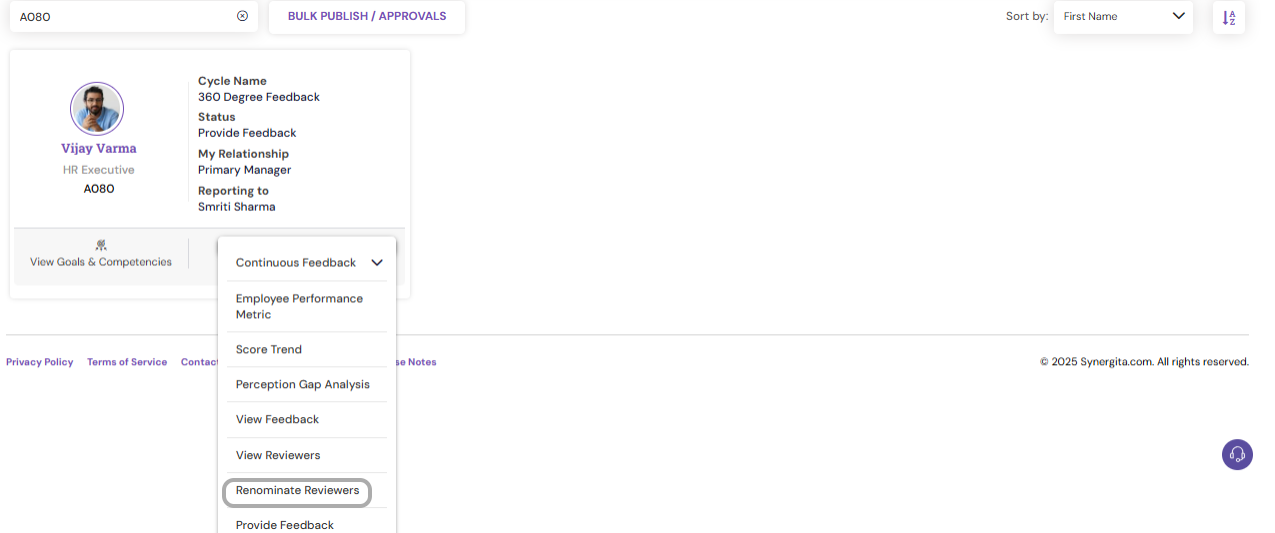
- Click the down arrow beside the employee name and select Renominate Reviewer.
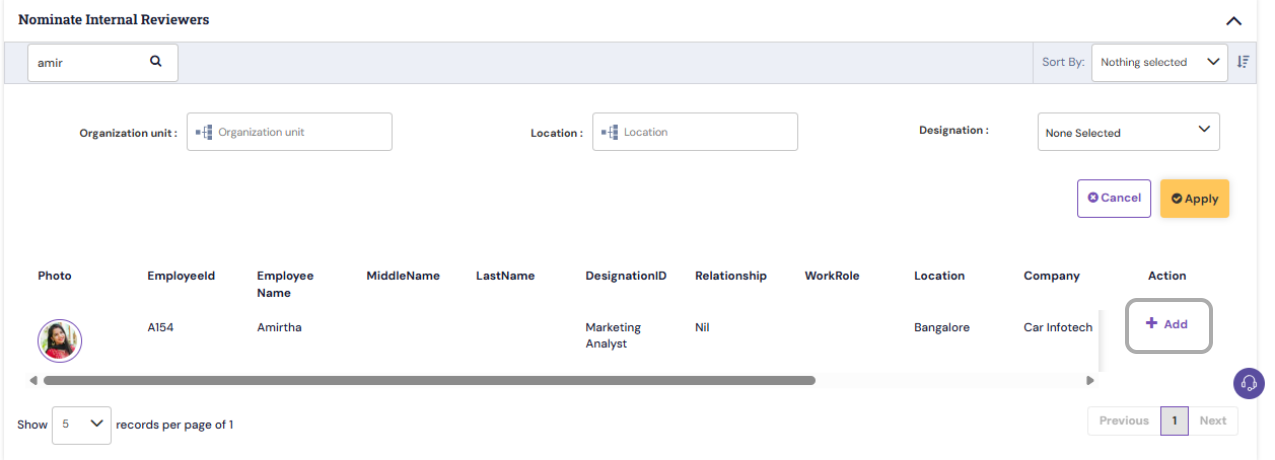
- Search for reviewers by Name or Employee ID, or use the available filters to identify the right individuals under the Nominate Internal Reviewers section.
- Click Add to include the selected reviewer in the list.
- Assign the correct Relationship Type for each added reviewer (e.g., Peer, External Stakeholder, etc.).
- After all required reviewers are added or updated, review the list, click Save, and then select Confirm All Reviewers to complete the action.

PS: Synergita implementation for your Organization may vary from how the features are described here. The screenshots given here may also be different from what you see in your system. Please talk to the concerned person in the Organization for any specific queries.