
Yes. Synergita allows you to bulk import skill details for multiple employees using the standard import template. This helps organizations efficiently manage employee skill information without having to update each profile individually.
The bulk import option enables HR teams to upload or update employee skill details—such as skill names, proficiency levels, and experience—through a structured Excel file. This ensures consistency, saves time, and reduces manual errors.
Follow the steps below:
1. Navigate to Admin > Import/Export > Import Employee Skill Set Details
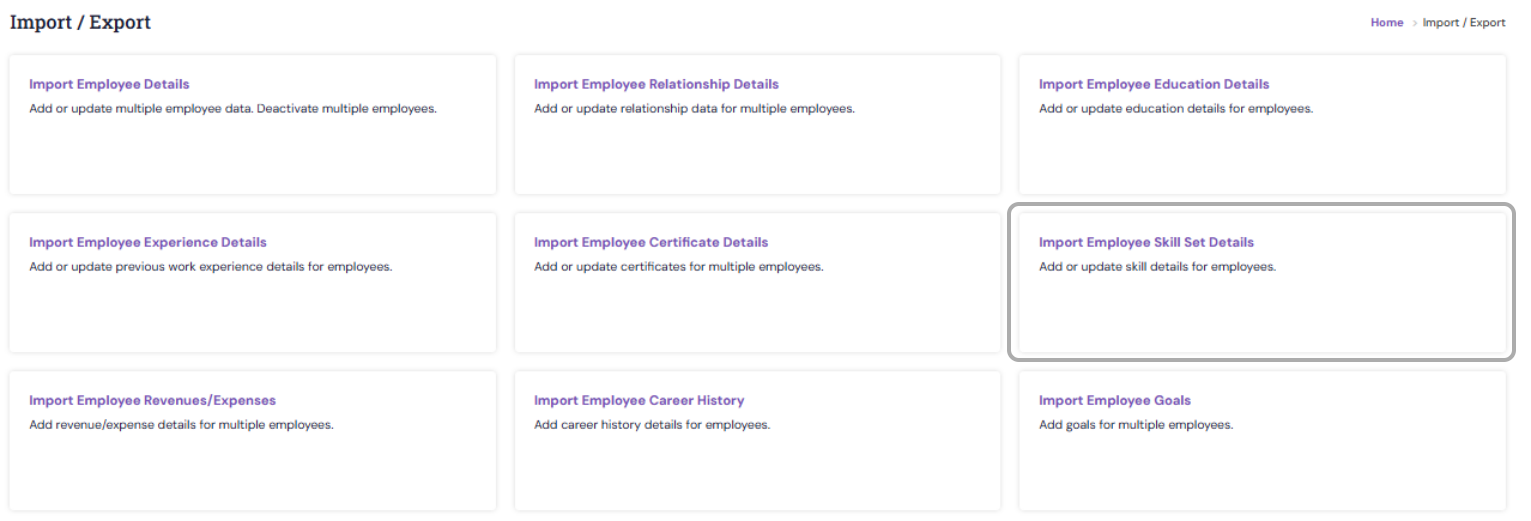
2. Download the import template.

3. Fill in the necessary fields, such as: Employee ID / Email ID, Category, Skill Name, Proficiency Level, Experience (if applicable), Comments, etc.

4. Upload the completed file back into the system.

Review the preview and click Import to process the data.
Bulk importing skill details is a quick and efficient way to manage and update employee competencies in Synergita. By using the provided template and following the guidelines, HR teams can maintain an up-to-date and accurate skills database across the organization.
PS: Synergita implementation for your Organization may vary from how the features are described here. The screenshots given here may also be different from what you see in your system. Please talk to the concerned person in the Organization for any specific queries.