
Synergita allows administrators to control the visibility and access levels of users by restricting them to specific departments, locations, or other available filters. This is typically used for HR business partners, line managers, or location, department-specific HR users.
HR teams can define which employees or groups a user can view or manage within the system.
To restrict access based on the available filters
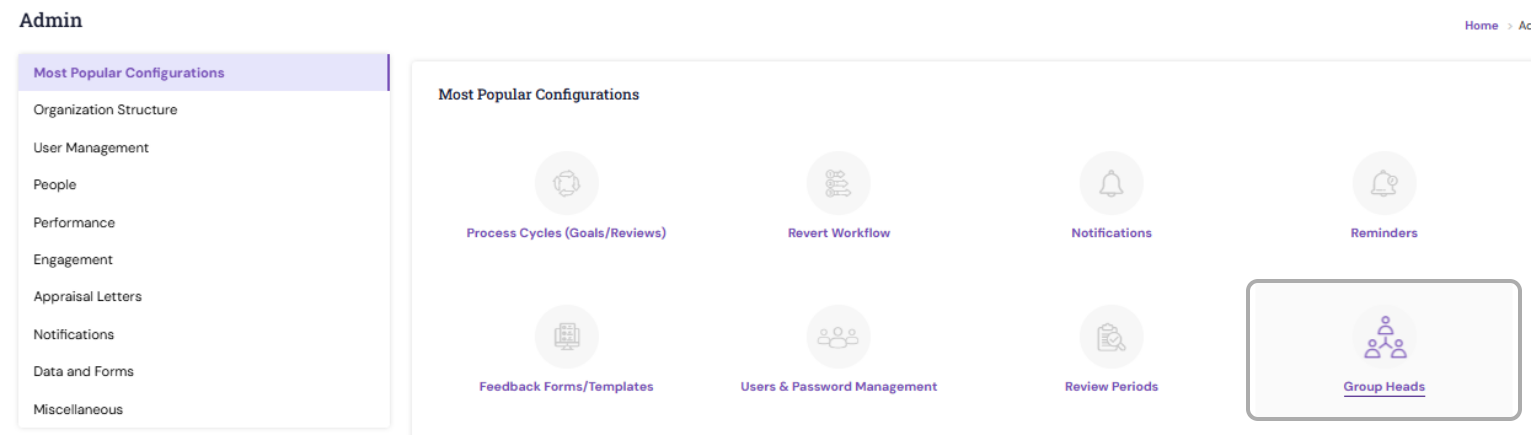
Navigate to Admin > Popular configuration or People, click Group Heads
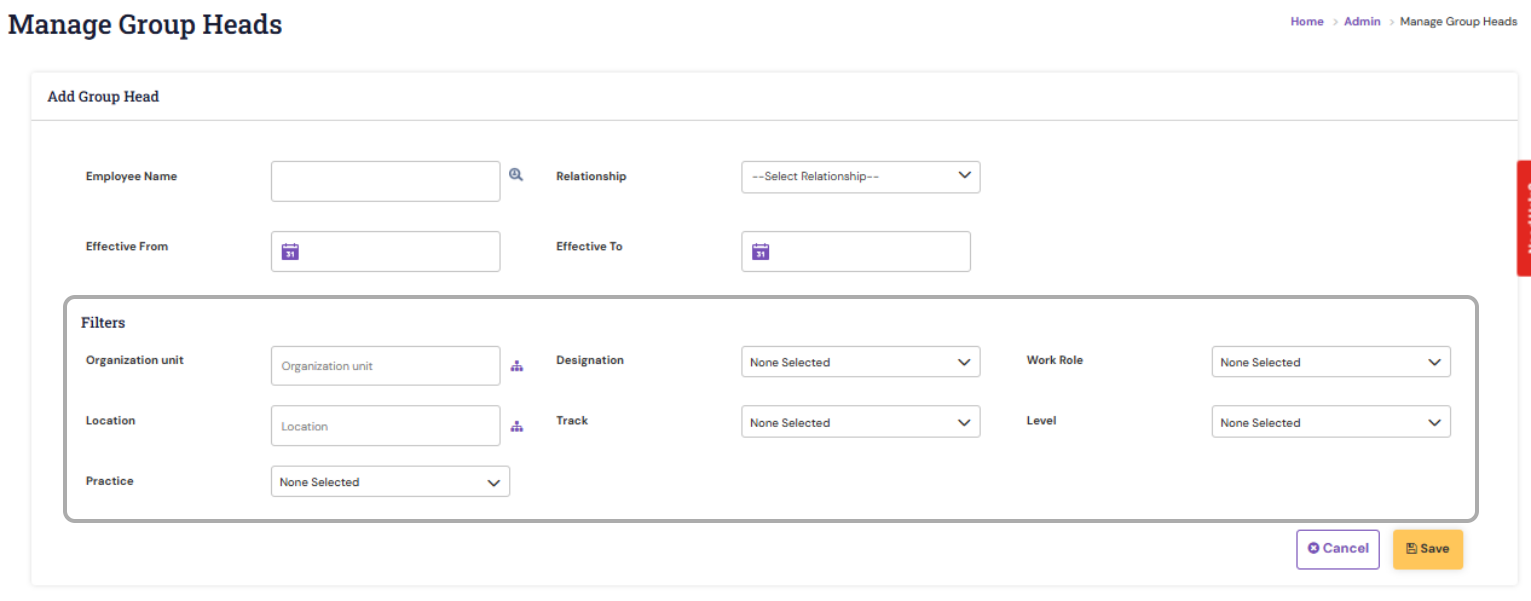
While adding a new user as the group heads you can restrict based on the below highlighted available filters.
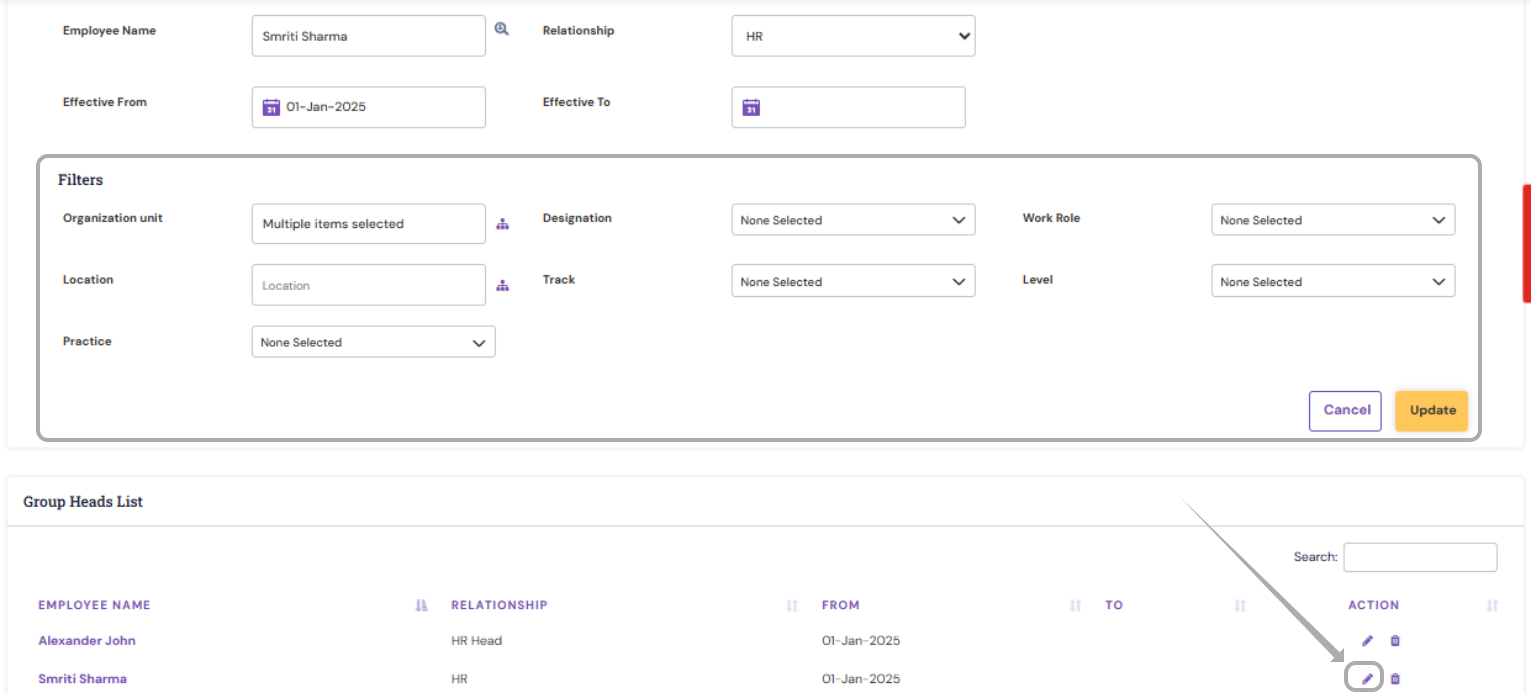
To update the filter/restriction for the already available user, click on the edit icon with respect to their entry and then choose/map the required filters.
Restricting a user’s access by department or location is an effective way to ensure data security and maintain role-based access control. By configuring these restrictions under User Management, organizations can ensure that each user only accesses the data relevant to their responsibilities.
PS: Synergita implementation for your Organization may vary from how the features are described here. The screenshots given here may also be different from what you see in your system. Please talk to the concerned person in the Organization for any specific queries.